Vulse ArtVulse Art
Home/Linkedin Strategy

LinkedIn Sponsored Newsletters: A New Advertising Option To Improve Reach And Lead Generation

  • LinkedIn Strategy
blog-image

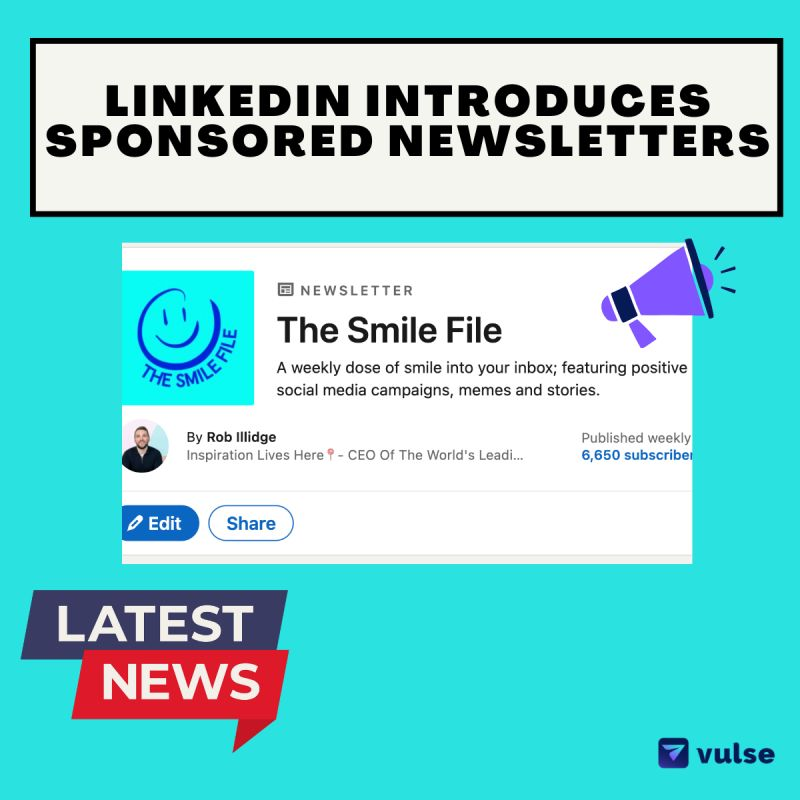
LinkedIn has expanded its advertising options by introducing LinkedIn newsletters and sponsored newsletter articles, an extension of its sponsored articles feature launched in January.
 

This new tool allows companies to sponsor their newsletters, increasing brand awareness and engagement, and aligning with specific campaign objectives.
 

Currently, only newsletter articles authored by a company and part of an organic company page post can be sponsored.


With a 47% rise in newsletter engagement and over 184,000 newsletters published, LinkedIn’s user base shows a strong interest in this content format, supporting engagement campaign objectives.
 

Key Features and Benefits
 

Enhanced Reach: Sponsored newsletters enable brands to attract more sign-ups and reach a broader audience within their sector.
 

Lead Generation: This tool provides additional ways to gather information for future outreach, making it a valuable lead generation asset.
 

Content Library Integration: Brands can create and manage sponsored newsletters via the “Content Library” in Campaign Manager.
 

Company Page Integration: Only newsletter articles authored by a company and part of an organic company page post can be sponsored.
 

Engagement Campaigns: Sponsored newsletters are available in brand awareness and engagement campaigns.
 

Future Release: LinkedIn plans to allow sponsorship of member-authored newsletter articles in a future release.


LinkedIn is rolling out this feature gradually, so if it’s not yet available to you, it will be soon.


Learn more about setting up a sponsored newsletter campaign on LinkedIn’s official help pages.


By leveraging sponsored newsletters, brands can significantly enhance their marketing strategies, ensuring their content reaches and engages a targeted audience effectively.

Vulse ArtVulse ArtVulse Art
Vulse Art

You May also be interested in

  • blog img

    LinkedIn Now Lets You Filter Comments by Verified Members

    LinkedIn has quietly rolled out a new comment sorting option that lets users filter replies by verified members only. It is a small interface change with significant implications for anyone using LinkedIn as a B2B content and engagement channel. Here is what the update involves and what it means for brands running employee advocacy programmes. What LinkedIn Has Changed LinkedIn has added a third sort option to post comments alongside the existing Most Relevant and Most Recent filters. The new option is called Verified Members, and selecting it shows only comments from users who have confirmed their identity on the platform. According to LinkedIn's own Help Centre documentation, the feature is designed to help members find authentic comments on posts with large comment volumes. The Verified Members filter surfaces insights from trusted professionals while reducing noise from automated, generic, or inauthentic comments. The feature is currently rolling out to a portion of users rather than the full platform, so you may not see it in your account yet. How LinkedIn Verification Works Unlike verification on Meta or X, LinkedIn verification is free. Members can confirm their identity through third-party support partners or by submitting government ID information directly. LinkedIn reported in December 2024 that more than 100 million members had verified their identity on the platform. Given that LinkedIn has over one billion members in total, verified accounts still represent roughly 10 percent of the user base, which is why the filter is a meaningful signal rather than a universal one. Why LinkedIn Is Prioritising Verified Content The timing of this update is not accidental. LinkedIn content has become a leading source for AI-generated answers, with research showing LinkedIn is among the most cited platforms by AI chatbots when generating professional and business-related responses. That citation value depends entirely on the quality and authenticity of the content being cited. If bot-generated or spam comments dilute the signal, LinkedIn's value as a trusted professional data source weakens. Surfacing verified member content is one way to protect the integrity of that data stream. There is also a straightforward commercial incentive: the more LinkedIn can demonstrate that its platform hosts authentic, high-quality professional conversations, the stronger its case for Premium subscriptions, advertising investment, and enterprise product sales. What This Means for Employee Advocacy Teams For B2B brands running employee advocacy programmes, this update has three direct implications. Verified employees carry more weight in comments. If your employees are engaging with prospects' posts, commenting on industry conversations, or responding to your own company content, a verified profile now places them in the priority tier when others filter by verification. An unverified employee advocate may not appear at all in filtered views. Verification is now a baseline, not a bonus. Until now, LinkedIn verification was something advocates could optionally pursue. This update shifts it closer to a minimum standard for anyone whose LinkedIn engagement is part of a broader business development or thought leadership strategy. Comment engagement on company posts becomes more valuable. Posts that attract verified member comments will produce higher-quality filtered feeds. Encouraging senior leaders, subject matter experts, and verified employees to comment on company content is now a deliberate reach and trust strategy, not just a vanity metric. What Advocacy Teams Should Do Now Audit your advocate pool for verification status. Identify which of your active employee advocates have completed LinkedIn's identity verification. For any unverified advocates, share LinkedIn's verification instructions and make verification part of your programme onboarding checklist. Update your advocacy programme guidelines. If you maintain a content kit, employee playbook, or onboarding document for your advocacy programme, add LinkedIn verification as a recommended first step. It takes minutes and the benefit compounds over time as the filter becomes more widely used. Prioritise comment engagement, not just post sharing. Employee advocacy programmes typically focus on sharing content from a library. This update is a prompt to also encourage employees to comment thoughtfully on relevant posts in their feed, particularly high-volume posts in your industry where a verified comment in the filtered view gives disproportionate visibility. Track verified engagement separately. If you are measuring your advocacy programme's impact, start segmenting engagement data by whether the interacting accounts are verified. This will become a more meaningful quality signal as LinkedIn continues to weight verified activity in its surfacing decisions. The Bigger Picture This update sits alongside a series of moves LinkedIn has made in 2026 to improve content quality and deepen the value of its professional data layer. Recent changes include expanded AI-powered conversational search, Crosscheck for comparing AI model outputs, and a leadership transition focused on AI development. The direction is consistent: LinkedIn is investing heavily in the credibility and quality of its professional content ecosystem. For brands whose growth depends on organic LinkedIn reach, that investment is only worth capturing if the humans representing your company in the feed are verified, active, and producing content that stands up to scrutiny. Employee advocacy built on authentic, verified professional voices is not just a nice-to-have in that environment. It is increasingly the baseline for visibility. Frequently Asked Questions What is LinkedIn's verified replies filter? It is a new comment sorting option that lets users view only comments from verified members. It sits alongside the existing Most Relevant and Most Recent filters and is designed to reduce spam and bot-generated comments in high-volume post discussions. Is LinkedIn verification free? Yes. Unlike Meta or X, LinkedIn verification does not require a paid subscription. Members can verify their identity through LinkedIn's third-party support partners or by submitting government ID information. Full instructions are available in LinkedIn's Help Centre. How many LinkedIn members are verified? As of December 2024, LinkedIn reported that more than 100 million members had verified their identity on the platform. LinkedIn has over one billion members in total, meaning verified accounts represent approximately 10 percent of the full user base. Does LinkedIn verification improve post reach? Not directly in terms of algorithmic distribution. However, verified member comments are now prioritised in the new filter view, which means verified advocates are more likely to be seen when users sort comments by verification status on high-volume posts. Should employee advocates get verified on LinkedIn? Yes. With LinkedIn now surfacing verified member comments in a dedicated filter, unverified advocates risk being invisible in filtered comment views. Verification should be treated as a standard onboarding step for any employee participating in a formal advocacy programme. What is the difference between LinkedIn verification and LinkedIn Premium? LinkedIn verification confirms a member's real-world identity and is free. LinkedIn Premium is a paid subscription tier that unlocks additional features including InMail credits, profile insights, and learning tools. The two are independent of each other: a member can be verified without Premium and vice versa. Will this filter affect how company page posts perform? Indirectly. Posts that attract substantial verified member engagement will produce richer, higher-quality filtered comment feeds, which may encourage more users to engage with that content. Brands that actively encourage verified employees to comment on company posts are likely to benefit as the filter becomes more widely adopted.

    Loading

    LinkedIn Now Lets You Filter Comments by Verified Members

    by - Rob Illidge -

  • blog img

    LinkedIn Crosscheck: Test AI Models for Free Inside LinkedIn

    LinkedIn has launched a feature that lets Premium subscribers compare AI models from OpenAI, Anthropic, Google, Microsoft and others, side by side, without paying for separate subscriptions or hitting token limits. The feature is called Crosscheck, and it is rolling out now to LinkedIn Premium subscribers in the United States, with broader availability planned for additional countries and free users. How LinkedIn Crosscheck Works Crosscheck is described by LinkedIn's Chief Product Officer Hari Srinivasan as a "blind taste test" for AI models. The experience works like this: You enter a text prompt LinkedIn returns two answers, each generated by a different AI model You choose which answer you prefer Only after making your selection does LinkedIn reveal which models produced each response The feature already supports a wide range of models. Early testing has returned responses from Anthropic, Google, MoonshotAI, Mistral, and Amazon, with more expected to be added. Crosscheck also has its own leaderboard tracking how professionals across different industries rate the various models against each other. What Crosscheck Does and Does Not Support Crosscheck is currently text-only. You cannot generate images, upload files, or access the more advanced capabilities available directly on each AI platform's native interface. What you do get is unlimited text-based conversations with no token limits, and no requirement to sign up for additional paid subscriptions to access models you want to try. On data sharing: LinkedIn states that anonymised usage data is shared with the AI model providers to help them understand performance across different professional roles and industries. According to LinkedIn's own documentation, no personally identifiable information is passed to model builders. Why This Matters for B2B Content and Advocacy Teams For marketing, content, and employee advocacy teams already working inside LinkedIn, Crosscheck removes a meaningful barrier. Testing whether Claude, Gemini, or GPT-4o produces better output for a specific use case, such as a thought leadership post, a comment response, or a newsletter section, has historically required maintaining multiple subscriptions and switching between platforms. Crosscheck consolidates that comparison inside a platform your team is already using every day. A few practical implications worth considering: For content quality benchmarking. If your team uses AI to support LinkedIn post drafting or employee content kits, Crosscheck gives you a fast, free way to identify which model produces output that resonates with your specific audience and industry vertical. For employee advocates. Employees who are less familiar with AI tools now have a low-friction way to experiment with AI assistance directly inside LinkedIn, without needing separate accounts or training on new platforms. For advocacy programme managers. The Crosscheck leaderboard, broken down by industry, could become a useful proxy for understanding which AI models are gaining traction among your target audience, informing both content strategy and tool selection. What to Watch Crosscheck is currently an early-stage product from LinkedIn Labs, and Srinivasan has acknowledged there is work to do on speed, model range, and supported prompt types. It is also US-only for LinkedIn Premium users at launch, which limits immediate access for UK and European teams. That said, LinkedIn's track record of rolling features out globally after US pilots, combined with the stated intention to extend access to free users, suggests Crosscheck will reach wider audiences within months rather than years. The Bigger Picture for LinkedIn Content Strategy LinkedIn's move to embed AI model comparison directly into the platform is part of a broader pattern. Over the past 18 months, LinkedIn has introduced AI writing assistance, AI-powered post suggestions, and now a structured way to evaluate models against each other, all within the interface where B2B professionals are already spending time. For teams running employee advocacy programmes, this trajectory reinforces a simple strategic point: LinkedIn is becoming a content production and evaluation environment, not just a distribution channel. The tools employees need to create, refine, and share professional content are converging in one place. If your team is not yet building a structured approach to LinkedIn content and employee advocacy, the platform's own investment in AI tooling is accelerating the gap between organisations that are and organisations that are not. Frequently Asked Questions What is LinkedIn Crosscheck? LinkedIn Crosscheck is a feature from LinkedIn Labs that lets Premium subscribers compare responses from different AI models side by side using a blind test format. You enter a prompt, receive two anonymous answers from different models, choose the one you prefer, and then LinkedIn reveals which models produced each response. Which AI models does LinkedIn Crosscheck include? At launch, Crosscheck includes models from Anthropic, Google, MoonshotAI, Mistral, and Amazon, with more expected to be added. LinkedIn has confirmed it plans to expand the model range as the feature develops. Is LinkedIn Crosscheck free to use? Crosscheck is currently available at no additional cost to LinkedIn Premium subscribers in the United States. LinkedIn has stated it plans to extend access to free users and additional countries, though no confirmed timeline has been given. Does LinkedIn Crosscheck share my data with AI companies? Yes. According to LinkedIn's documentation, anonymised usage data is shared with AI model providers to help them understand how their models perform across different professional roles and industries. LinkedIn states that no personally identifiable information is shared with model builders. Can I use LinkedIn Crosscheck to generate images or upload files? No. Crosscheck currently supports text-based prompts only. Image generation, file uploads, and the more advanced tools available natively on each AI platform are not supported within Crosscheck. Is there a limit on how many prompts I can send in LinkedIn Crosscheck? No. LinkedIn has confirmed there are no token limits or usage caps on text-based conversations within Crosscheck, which is one of its main advantages over testing models through their native platforms on free or limited tiers. How can employee advocacy teams use LinkedIn Crosscheck? Advocacy teams can use Crosscheck to benchmark which AI models produce the best output for specific LinkedIn use cases, such as thought leadership posts, comment responses, or newsletter sections. It is also a useful onboarding tool for employee advocates who are new to AI writing assistance, as it removes the need to sign up for separate platforms. Where can I access LinkedIn Crosscheck? Crosscheck is available through LinkedIn Labs for LinkedIn Premium subscribers in the United States.

    Loading

    LinkedIn Crosscheck: Test AI Models for Free Inside LinkedIn

    by - Rob Illidge -

  • blog img

    Top Jobs Rising in 2026: AI Leads the Way

    LinkedIn's annual Jobs on the Rise report tracks which roles are gaining momentum based on changes in user profiles between 2023 and 2025.The clear headline for 2026: AI-related roles are surging.From AI engineers to data annotators, the list reflects how rapidly businesses are adopting and adapting to new AI tools.This isn't speculation about future trends. It's based on actual hiring patterns and career transitions happening right now.The World Economic Forum's Future of Jobs Report predicted this shift, estimating that 23% of jobs would change by 2027 due to AI and automation. LinkedIn's data suggests we're already seeing that transformation accelerate.The top rising roles (U.S.): a quick snapshotAI Engineers - Building and deploying AI systemsAI Consultants and Strategists - Helping businesses apply AI effectivelyNew Home Sales Specialists - Real estate roles adapting to market shiftsData Annotators - Ensuring AI training data qualityAI/ML Researchers - Advancing the science behind AI modelsHealthcare Reimbursement Specialists - Navigating complex healthcare billingStrategic Advisors and Independent Consultants - Flexible expertise on demandAdvertising Sales Specialists - Adapting to changing media landscapeFounders - More professionals launching their own businessesSales Executives - Enterprise sales remains in high demandWhat's notable: six of the top ten roles are either directly AI-related or reflect broader shifts in how work is organised (consultants, founders, specialists).Gartner's research supports this pattern, showing AI technologies moving rapidly from hype to practical implementation across industries.Why AI roles are growing so fastAI tools that didn't exist a few years ago are now mainstream. ChatGPT reached 100 million users faster than any consumer application in history, and enterprise adoption has followed.Organisations now need:Technical talent to build and maintain AI models. The U.S. Bureau of Labor Statistics projects computer and information technology jobs will grow 15% through 2031, much faster than average.Strategists to apply AI effectively. Building AI is one thing. Knowing where it creates value is another. McKinsey's research estimates generative AI could add $2.6 to $4.4 trillion annually to the global economy, but only if organisations deploy it strategically.Quality-control roles like data annotators to ensure training data is reliable. AI models are only as good as their training data. MIT Technology Review has highlighted how data quality directly impacts AI reliability.Beyond technical jobs, the report highlights a rise in founders and independent consultants. More professionals are choosing flexible or self-employed paths as the market shifts. LinkedIn's Workforce Report shows self-employment and contract work growing steadily across industries.What this means for your careerDon't panic. Adapt thoughtfully.AI isn't simply a replacement for human expertise. These systems extend what people can do, but they don't "understand" outputs the way a trained professional does.Research from Stanford's Human-Centered AI Institute consistently shows that AI performs best when paired with human judgment, not when left to operate autonomously.That means:If you already have domain expertise, learning how to use AI tools will boost your productivity and opportunities. You understand context that AI cannot.If you lack core knowledge in your field, relying solely on AI can produce risky or sub-par results. AI can generate plausible-sounding content that's factually wrong or contextually inappropriate.Focus on complementary skillsSkills that combine domain knowledge, critical thinking, and AI fluency will be the most valuable. Harvard Business Review's analysis puts it simply: "AI won't replace humans. But humans with AI will replace humans without AI."The most valuable skill combinations include:Data literacy - Understanding how to interpret, question, and apply data insights. Data Literacy Project research shows only 24% of employees feel confident working with data.Model evaluation - Knowing when AI outputs are reliable and when they need verification.Prompt engineering - OpenAI's best practices show that how you ask AI matters as much as what you ask.Human judgment - The ability to spot where AI outputs need correction, context, or ethical consideration.Practical steps to prepare and upskillStart with purposeIdentify how AI could augment your current role rather than replace it. Ask yourself: What repetitive tasks consume my time? Where could AI handle first drafts while I focus on refinement?Anthropic's research on AI-assisted work suggests the biggest productivity gains come from using AI for structured, repeatable tasks while reserving human effort for judgment-intensive decisions.Mix learning modesCombine technical tutorials with real-world projects and mentorship. LinkedIn Learning's research shows that employees who apply new skills immediately retain significantly more than those who only complete courses.Online courses for foundational knowledgeSide projects for hands-on practiceMentorship for context and career guidanceCommunity participation for ongoing learningTake advantage of free resourcesLinkedIn Learning is offering free courses tied to the "Jobs on the Rise" skills through February 6 (check the full report for details).Other quality free resources:Google's AI Essentials courseMicrosoft Learn's AI modulesCoursera's AI for Everyone by Andrew NgWhere to learn more (trusted resources)LinkedIn's full Jobs on the Rise 2026 report - The primary source for this analysisWorld Economic Forum Future of Jobs Report - Global perspective on workforce transformationMcKinsey Future of Work insights - Research on AI adoption and workforce implicationsO*NET OnLine - U.S. Department of Labor's detailed job descriptions and skill requirementsBureau of Labor Statistics Occupational Outlook - Official U.S. job growth projectionsHow organisations can respondCompanies should invest in reskilling programmes that pair AI tool training with domain-specific knowledge. PwC's Global Workforce Hopes and Fears Survey found that 74% of workers are ready to learn new skills, but only 40% feel their employer provides adequate upskilling opportunities.The gap between employee willingness and employer investment represents both a risk and an opportunity.Internal mobility matters. LinkedIn's Workplace Learning Report shows employees at companies with strong internal mobility stay nearly 2x longer.Storytelling accelerates culture change. Employee advocacy platforms can help amplify upskilling stories, highlight internal mobility, and showcase how teams are evolving. This makes it easier to attract talent in a competitive market where candidates increasingly research company culture before applying.When employees share their learning journeys and career growth publicly, it signals that your organisation invests in people. Glassdoor research shows 86% of job seekers research company reviews and ratings before applying.The 2026 Jobs on the Rise report is a reminder that change is accelerating. AI roles are rising, but the winners will be professionals and organisations that combine human expertise with the right AI tools.The opportunity isn't about becoming an AI expert overnight. It's about understanding how AI fits into your domain and developing the judgment to use it effectively.Start where you are. Learn continuously. Share what you discover.Curious how employee advocacy can help your team ride this wave?Explore how Vulse can amplify skills, share success stories, and attract top talent. Book a demo to see how employee advocacy supports your workforce development goals.

    Loading

    Top Jobs Rising in 2026: AI Leads the Way

    by - Rob Illidge -

Revolutionise Your LinkedIn Output Today

Got a question? Give us a call or start your free trail today