Vulse ArtVulse Art
Home/Linkedin Strategy

LinkedIn Experiments With Video Trends To Boost Engagement

  • LinkedIn Strategy
blog-image

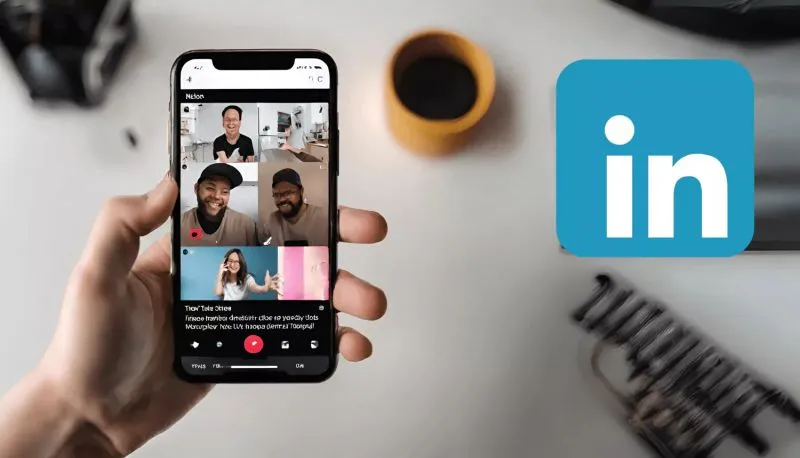
LinkedIn is investing in video - borrowing inspiration from TikTok to get more professionals posting and engaging with video content on the platform.
 

Introducing: Video Trends On LinkedIn
 

Spotted by social media analyst Lindsey Gamble, LinkedIn is quietly rolling out a feature that highlights trending video topics across the app.


These trends appear as bold header tags within video posts and directly in your feed.


Tap one, and you'll dive into a curated feed of videos where professionals share their perspectives on that trending theme.


The most interesting bit? LinkedIn will prompt you to “Add to this trend” with a single tap—opening your camera so you can instantly share your thoughts.


Think of it as LinkedIn’s version of a “duet,” but with suits instead of lip-syncs.


Collaborative Articles, But Make It Video


If this concept sounds familiar, that’s because it is.


LinkedIn has already tested something similar with its AI-powered Collaborative Articles, which asked members to respond to curated industry questions.


Contributors were even awarded "Top Voice" badges—until LinkedIn noticed a bit too much enthusiasm and removed that feature.


Now, the platform is pivoting to video, but with the same participatory spirit. This time, though, it’s banking on the growing appetite for video among professionals, especially younger users.


Will It Catch On?


Here’s the thing: LinkedIn isn’t just for job hunting anymore.


With video watch time up 36% year-over-year, the platform is evolving into a content hub where insights and authenticity collide. If the new video trend format keeps its focus on career-relevant conversations, we can expect to see even more professionals stepping in front of the camera.


And for creators, brands, and thought leaders? This is a golden opportunity.


The ease of joining a trend could lower the barrier to posting, offering a simple yet effective way to show expertise, build visibility, and join timely conversations, all while keeping things human and relatable.


What to Expect Next


Currently, LinkedIn is testing this feature with users in the U.S., but if the data looks good, a broader rollout won’t be far behind.


At Vulse, we’re watching this space closely. Not only does this align with the rise in short-form content across all platforms, but it also opens new doors for employee advocacy, personal branding, and community-building, all things we care deeply about.


So, if you’re trying to grow your presence on LinkedIn, now might be the perfect time to start warming up that front camera.

Vulse ArtVulse ArtVulse Art
Vulse Art

You May also be interested in

  • blog img

    How LinkedIn's 2026 Algorithm Works and What It Means for Your Content Strategy

    LinkedIn has rebuilt its feed algorithm from the ground up. This means changes for everything we have been doing so far as marketers. Don't worry tough. At Vulse, we got you covered. The platform replaced five separate content retrieval systems with a single AI-powered ranking model that understands what posts actually mean, not just what keywords they contain. For marketing professionals, the practical impact is significant: organic reach per post has dropped roughly 50%, but the impressions that remain are far more targeted. Personal profiles now command an estimated 65% of feed allocation while company pages receive just 5%. This guide explains how the new algorithm works, what content it rewards and suppresses, and how to adapt your LinkedIn strategy to maintain visibility in What LinkedIn Changed and Why It Matters LinkedIn disclosed the technical details of this overhaul in a March 2026 engineering blog post written by TPM Tech Lead Hristo Danchev. The scale of the change is substantial. The previous feed architecture relied on five independent retrieval pipelines running in parallel, each with its own infrastructure, index, and optimisation logic. These included a chronological network activity feed, geography-filtered trending content, collaborative filtering based on similar members' interests, industry-specific modules, and multiple embedding-based retrieval systems. No single team could optimise across all five simultaneously. The ranking layer treated each impression independently, scoring posts in isolation with no awareness of what a member had recently read. The replacement is a unified system built on a large language model. As Social Media Today reported, the new architecture converts both user profiles and posts into dense mathematical representations within a shared space, then uses GPU-accelerated search to match content to members based on genuine relevance rather than simple keyword overlap. The result is a feed that behaves less like a chronological timeline and more like a personalised recommendation engine. LinkedIn now asks "what are you interested in?" rather than "who do you know?", and that interest model updates continuously based on your recent behaviour. How the Algorithm Now Evaluates Your Content Every post published on LinkedIn goes through a three-stage evaluation process that has become increasingly aggressive about quality filtering. Stage One: The Quality Gate The moment you publish, AI classifies your post as spam, low-quality, or high-quality. Engagement bait, repetitive templates, and obviously automated content may be filtered before they ever reach the ranking stage. LinkedIn VP of Engineering Tim Jurka confirmed the platform is actively reducing what he called "repetitive, click-driven posts" so the feed becomes "more relevant to your interests, and not a popularity contest." This means content that opens with prompts like "Comment YES if you agree" or uses recycled templates is now at risk of being suppressed before it reaches anyone. Stage Two: The Golden Hour Posts that pass the quality gate are shown to a small sample of the poster's audience during the first 60 minutes. The algorithm watches for signals of genuine engagement during this window. Thoughtful comments carry significantly more weight than reactions. Industry analysis suggests comments carry 8 to 15 times more algorithmic weight than likes. Dwell time also matters: posts that hold attention for 60 seconds or more see engagement rates around 15.6%, compared to just 1.2% for posts that generate under 3 seconds of attention. Responding to comments within the first hour produces approximately a 35% visibility boost. This makes the golden hour a critical window for anyone serious about LinkedIn reach. Stage Three: Scaled Distribution Posts that generate strong early engagement enter the broader distribution phase. The LLM-powered matching system can expand reach to second and third-degree connections and even non-followers whose professional interests align with the content's topic. This is where the new algorithm's semantic understanding becomes powerful. Someone interested in "electrical engineering" who engages with posts about "small modular reactors" will see related content on power grid optimisation and renewable energy infrastructure. These are connections that keyword-based systems would have missed entirely. What the Algorithm Rewards in 2026 LinkedIn's new system rewards content that demonstrates genuine expertise and provides professional value. Several patterns consistently perform well. Topical consistency builds authority. The algorithm's transformer-based model processes over 1,000 historical interactions per member. If you have been posting consistently about a specific professional topic, the system recognises that pattern and is more likely to surface your content to others interested in that subject. Niche depth beats broad reach. Original insight outperforms recycled ideas. The LLM can evaluate the semantic novelty of a post. Sharing a genuinely new perspective, first-party data, or a specific professional experience performs better than repackaging widely circulated advice. Meaningful engagement signals quality. A post that generates three thoughtful comments outperforms one with thirty reactions. The algorithm specifically weights active engagement (comments, shares, direct messages) higher than passive engagement (likes, views). Visual and document formats lead on engagement. Buffer's analysis of over one million LinkedIn posts found that carousels and document posts generate nearly 3 times more engagement than video and 6 times more than text-only posts. Native video delivers a 69% performance improvement over other formats, with LinkedIn Live generating 24 times more engagement than standard posts. Posts with standalone value perform best. Content that delivers its core message without requiring users to click an external link consistently outperforms content designed primarily to drive traffic elsewhere. External links can reduce reach by 25 to 68%, though LinkedIn's own editorial team has clarified that links are not penalised if the post itself delivers standalone value. What the Algorithm Suppresses LinkedIn is now actively demoting several content types that previously performed well through gaming tactics. Engagement bait. The platform's NLP models can detect engagement-bait phrases programmatically and demote them automatically. Posts asking for likes, comments, or shares in exchange for content access are penalised. Automation and engagement pods. LinkedIn is cracking down on comment automation tools, browser extensions, and engagement pods, stating these violate platform rules and undermine professional discourse. If you are relying on automated engagement to boost visibility, that strategy is now actively working against you. Generic AI-generated content. The algorithm can detect formulaic AI writing and actively deprioritises it. This does not mean AI tools cannot be part of your content workflow, but the output needs to be edited, personalised, and infused with genuine expertise to pass the quality filters. Mass-identical resharing. If 50 employees share the identical post word-for-word, the algorithm may only display it once, making 49 of those shares invisible. This has significant implications for employee advocacy programmes that rely on one-click sharing without personalisation. For more on how LinkedIn's platform changes affect advocacy programmes, see our analysis of what changed with LinkedIn employee advocacy. The Reach Decline in Context The headline numbers are stark. Richard van der Blom's Algorithm InSights report, based on analysis of roughly 400,000 profiles, found average post views declined approximately 50%, engagement dropped around 25%, and follower growth fell roughly 59% compared to previous periods. But these numbers tell only half the story. LinkedIn has confirmed that posting volume is up 15% year-over-year and comments have increased 24%, meaning there is more competition for attention within the feed. Engagement per post has actually risen 12 to 39% despite lower raw impressions. LinkedIn is comfortable trading raw reach for engagement quality. The platform now accounts for 41% of total B2B paid media budgets, and B2B return on ad spend reached 121% in The strategic intent is clear: LinkedIn wants its organic feed to deliver fewer but more relevant impressions while encouraging brands to invest in paid promotion for broader reach. For marketers, this means vanity metrics like total impressions matter less than ever. The question is whether your content reaches the right people and generates meaningful engagement with them. Why Employee Advocacy Is Now a Strategic Necessity The algorithm's preference for personal profiles over company pages makes employee advocacy the most effective organic distribution strategy on LinkedIn. The data is unambiguous. Analysis of 500,000 employee LinkedIn posts found that personal posts generate 9 times more total engagements, 9 times more clicks, 8.8 times more reactions, and 17 times more comments than curated company content. The economics are equally compelling. Employee advocacy delivers cost-per-clicks of $0.25 to $1.00 compared to LinkedIn Ads at $5 to $10 CPC. Leads from employee-shared content convert 7 times more frequently than leads from traditional channels. And employee networks are roughly 12 times larger than company follower bases. Our own analysis of 400 million LinkedIn impressions found that employee posts achieve 14 times higher engagement rates than company page content. The top performers in our dataset generated over 45,000 impressions per post by combining topical expertise with authentic personal voice. Personalisation Is the Differentiator One critical finding from the 2026 data is that personalisation separates high-performing advocacy content from invisible content. Only 3.6% of advocates actually edit content before sharing, but those who do see 3.6 times more total engagements, nearly 4 times more reactions, over 3 times more clicks, and more than 5 times more comments. Even minimal edits, such as adding a single line of personal context, yield nearly 3 times better performance than identical resharing. This is where the algorithm's mass-duplication penalty becomes critical. If your advocacy programme relies on employees sharing word-for-word identical posts, those shares are likely being suppressed. The solution is not to abandon shared content kits but to make personalisation easy and expected. For practical frameworks on building advocacy programmes that drive personalised sharing, see our employee advocacy training guide and our 2025 buyer's guide to advocacy software. Practical Strategy for Marketing Professionals Based on how the algorithm works in 2026, here is what marketing teams should prioritise. Focus on topical authority, not volume. The algorithm rewards consistent posting within a defined area of expertise. Help your team identify two to three content pillars where they have genuine knowledge and focus there. A data analyst sharing weekly insights about analytics trends will outperform someone posting daily about random business topics. Invest in the golden hour. The first 60 minutes after publishing determine how far your content travels. Post when your audience is active (Tuesday through Thursday tends to deliver peak engagement), and be ready to respond to comments immediately. Every reply within that window compounds the post's reach. Prioritise carousels and native video. Format matters. Carousel posts and document shares generate the highest average engagement, followed by native video. If you are still defaulting to text-only posts with external links, you are leaving significant reach on the table. Train employees to personalise, not just share. Provide content kits with templates, data points, and key messages, but make it clear that adding personal context is what makes advocacy posts perform. Even one sentence of original commentary transforms a templated share into authentic content. Our guide on LinkedIn posting best practices covers the specific techniques that work. Stop gaming and start adding value. Engagement pods, automation tools, and bait-style posts are now actively penalised. The algorithm is sophisticated enough to distinguish between genuine professional engagement and manufactured metrics. Focus on creating content that is genuinely useful to your target audience. Combine organic advocacy with paid amplification. Use organic employee posts to test what content resonates, then amplify top performers through Thought Leader Ads. This creates a flywheel where organic performance data informs paid strategy and paid distribution extends the reach of your best-performing employee content. Use scheduling tools without worry. LinkedIn has confirmed that scheduling tools are not penalised by the algorithm. Demographic attributes are also excluded from ranking signals, and the platform regularly audits its models to ensure fair distribution across creators. Frequently Asked Questions How does LinkedIn's 2026 algorithm rank content? LinkedIn now uses a unified LLM-powered system that converts posts and user profiles into mathematical representations, then matches them based on semantic relevance. Content passes through a quality gate, a 60-minute engagement evaluation window, and then scaled distribution based on topic matching and engagement quality. Why has my LinkedIn reach dropped in 2026? Average post reach has declined approximately 50% due to increased competition (posting volume is up 15% year-over-year) and LinkedIn's deliberate shift toward fewer but more relevant impressions. Engagement quality per post has actually improved, meaning the impressions you do receive are more targeted. Does LinkedIn penalise external links in posts? External links can reduce reach by 25 to 68%, but LinkedIn's editorial team has clarified that links are not penalised if the post itself delivers standalone value. The key is to make the post useful on its own rather than relying entirely on the link for content delivery. Are LinkedIn scheduling tools penalised by the algorithm? No. LinkedIn has confirmed that scheduling tools do not affect how the algorithm ranks your content. How important are comments versus likes for the algorithm? Very important. Thoughtful comments carry an estimated 8 to 15 times more algorithmic weight than likes. The algorithm distinguishes between active engagement (comments, shares, direct messages) and passive engagement (reactions, views), heavily favouring the former. Does employee advocacy still work with the new algorithm? Employee advocacy is more important than ever. Personal profiles receive approximately 65% of feed allocation compared to just 5% for company pages. Employee posts generate 9 times more engagement and deliver cost-per-clicks at a fraction of LinkedIn Ads pricing. However, personalisation is now essential because the algorithm penalises mass-identical sharing. Ready to build an employee advocacy programme that works with LinkedIn's 2026 algorithm? Vulse helps marketing teams create personalised content kits, coordinate employee sharing, and measure real impact on reach and engagement. Start your free trial or book a demo to see how it works.

    Loading

    How LinkedIn's 2026 Algorithm Works and What It Means for Your Content Strategy

    by - Rob Illidge -

  • blog img

    Top Jobs Rising in 2026: AI Leads the Way

    LinkedIn's annual Jobs on the Rise report tracks which roles are gaining momentum based on changes in user profiles between 2023 and 2025.The clear headline for 2026: AI-related roles are surging.From AI engineers to data annotators, the list reflects how rapidly businesses are adopting and adapting to new AI tools.This isn't speculation about future trends. It's based on actual hiring patterns and career transitions happening right now.The World Economic Forum's Future of Jobs Report predicted this shift, estimating that 23% of jobs would change by 2027 due to AI and automation. LinkedIn's data suggests we're already seeing that transformation accelerate.The top rising roles (U.S.): a quick snapshotAI Engineers - Building and deploying AI systemsAI Consultants and Strategists - Helping businesses apply AI effectivelyNew Home Sales Specialists - Real estate roles adapting to market shiftsData Annotators - Ensuring AI training data qualityAI/ML Researchers - Advancing the science behind AI modelsHealthcare Reimbursement Specialists - Navigating complex healthcare billingStrategic Advisors and Independent Consultants - Flexible expertise on demandAdvertising Sales Specialists - Adapting to changing media landscapeFounders - More professionals launching their own businessesSales Executives - Enterprise sales remains in high demandWhat's notable: six of the top ten roles are either directly AI-related or reflect broader shifts in how work is organised (consultants, founders, specialists).Gartner's research supports this pattern, showing AI technologies moving rapidly from hype to practical implementation across industries.Why AI roles are growing so fastAI tools that didn't exist a few years ago are now mainstream. ChatGPT reached 100 million users faster than any consumer application in history, and enterprise adoption has followed.Organisations now need:Technical talent to build and maintain AI models. The U.S. Bureau of Labor Statistics projects computer and information technology jobs will grow 15% through 2031, much faster than average.Strategists to apply AI effectively. Building AI is one thing. Knowing where it creates value is another. McKinsey's research estimates generative AI could add $2.6 to $4.4 trillion annually to the global economy, but only if organisations deploy it strategically.Quality-control roles like data annotators to ensure training data is reliable. AI models are only as good as their training data. MIT Technology Review has highlighted how data quality directly impacts AI reliability.Beyond technical jobs, the report highlights a rise in founders and independent consultants. More professionals are choosing flexible or self-employed paths as the market shifts. LinkedIn's Workforce Report shows self-employment and contract work growing steadily across industries.What this means for your careerDon't panic. Adapt thoughtfully.AI isn't simply a replacement for human expertise. These systems extend what people can do, but they don't "understand" outputs the way a trained professional does.Research from Stanford's Human-Centered AI Institute consistently shows that AI performs best when paired with human judgment, not when left to operate autonomously.That means:If you already have domain expertise, learning how to use AI tools will boost your productivity and opportunities. You understand context that AI cannot.If you lack core knowledge in your field, relying solely on AI can produce risky or sub-par results. AI can generate plausible-sounding content that's factually wrong or contextually inappropriate.Focus on complementary skillsSkills that combine domain knowledge, critical thinking, and AI fluency will be the most valuable. Harvard Business Review's analysis puts it simply: "AI won't replace humans. But humans with AI will replace humans without AI."The most valuable skill combinations include:Data literacy - Understanding how to interpret, question, and apply data insights. Data Literacy Project research shows only 24% of employees feel confident working with data.Model evaluation - Knowing when AI outputs are reliable and when they need verification.Prompt engineering - OpenAI's best practices show that how you ask AI matters as much as what you ask.Human judgment - The ability to spot where AI outputs need correction, context, or ethical consideration.Practical steps to prepare and upskillStart with purposeIdentify how AI could augment your current role rather than replace it. Ask yourself: What repetitive tasks consume my time? Where could AI handle first drafts while I focus on refinement?Anthropic's research on AI-assisted work suggests the biggest productivity gains come from using AI for structured, repeatable tasks while reserving human effort for judgment-intensive decisions.Mix learning modesCombine technical tutorials with real-world projects and mentorship. LinkedIn Learning's research shows that employees who apply new skills immediately retain significantly more than those who only complete courses.Online courses for foundational knowledgeSide projects for hands-on practiceMentorship for context and career guidanceCommunity participation for ongoing learningTake advantage of free resourcesLinkedIn Learning is offering free courses tied to the "Jobs on the Rise" skills through February 6 (check the full report for details).Other quality free resources:Google's AI Essentials courseMicrosoft Learn's AI modulesCoursera's AI for Everyone by Andrew NgWhere to learn more (trusted resources)LinkedIn's full Jobs on the Rise 2026 report - The primary source for this analysisWorld Economic Forum Future of Jobs Report - Global perspective on workforce transformationMcKinsey Future of Work insights - Research on AI adoption and workforce implicationsO*NET OnLine - U.S. Department of Labor's detailed job descriptions and skill requirementsBureau of Labor Statistics Occupational Outlook - Official U.S. job growth projectionsHow organisations can respondCompanies should invest in reskilling programmes that pair AI tool training with domain-specific knowledge. PwC's Global Workforce Hopes and Fears Survey found that 74% of workers are ready to learn new skills, but only 40% feel their employer provides adequate upskilling opportunities.The gap between employee willingness and employer investment represents both a risk and an opportunity.Internal mobility matters. LinkedIn's Workplace Learning Report shows employees at companies with strong internal mobility stay nearly 2x longer.Storytelling accelerates culture change. Employee advocacy platforms can help amplify upskilling stories, highlight internal mobility, and showcase how teams are evolving. This makes it easier to attract talent in a competitive market where candidates increasingly research company culture before applying.When employees share their learning journeys and career growth publicly, it signals that your organisation invests in people. Glassdoor research shows 86% of job seekers research company reviews and ratings before applying.The 2026 Jobs on the Rise report is a reminder that change is accelerating. AI roles are rising, but the winners will be professionals and organisations that combine human expertise with the right AI tools.The opportunity isn't about becoming an AI expert overnight. It's about understanding how AI fits into your domain and developing the judgment to use it effectively.Start where you are. Learn continuously. Share what you discover.Curious how employee advocacy can help your team ride this wave?Explore how Vulse can amplify skills, share success stories, and attract top talent. Book a demo to see how employee advocacy supports your workforce development goals.

    Loading

    Top Jobs Rising in 2026: AI Leads the Way

    by - Rob Illidge -

  • blog img

    LinkedIn Limits Competitor Analytics To Paid Users

    LinkedIn has announced it’s tightening access to Competitor Analytics on Company Pages.Previously free, this feature will now be limited for non-paying company pages: starting October 15th 2025, free accounts can only compare metrics against a single competitor.To compare up to nine competitors and view trending posts from three rivals, companies will need LinkedIn Premium Company Pages, a paid tier that begins at about $99/month.Why LinkedIn is making the shiftThis is part of LinkedIn’s broader push to grow its business subscription offerings.Premium Company Pages have been one of its fastest-growing products, and restricting features like Competitor Analytics nudges businesses toward paid plans.It also helps LinkedIn reduce support and infrastructure costs by limiting certain tools to subscribers.What this means for social teams and marketersIf your team relied on free Competitor Analytics, expect a change in how you benchmark performance.- Narrower competitive context: Free accounts will see comparisons to only one competitor, which can limit trend spotting and strategic benchmarking.- Fewer visibility signals: Access to trending posts from multiple competitors helps spot content tactics and timing — losing that view makes it harder to replicate what’s working across your industry.- Cost vs. value decision: Teams must weigh whether expanded competitor insights justify the monthly subscription, or if they can get the same value through other tools or internal measurement.How to adapt to company page changesPick your single competitor wisely: If you’ll only be able to compare to one page, choose a direct peer whose audience and content strategy closely match yours.Export historical data: If possible, download or archive recent analytics now so you have a baseline for future comparisons.Use third-party tools: Consider analytics platforms that track LinkedIn performance across multiple pages and offer broader benchmarking.Lean into first-party signals: Measure your own follower growth, engagement rates, and post performance closely — these are the metrics you control.How employee advocacy helps offset platform limitsWhen platform analytics become gated, employee advocacy becomes an even more valuable growth lever.Amplifying content through employees extends reach, drives authentic engagement, and reduces sole dependency on platform-provided insights.Tools like Vulse make it easy to turn employee networks into predictable distribution channels and provide alternative performance signals tied to referrals, clicks, and conversions.Quick wins with an advocacy strategyEncourage employees to share high-performing posts to increase organic reach.Track referral traffic from employee-shared links to measure real business impact.Use internal analytics from advocacy platforms to spot which content types resonate, even if platform-level competitor insights are restricted.This change signals a wider trend: platforms are increasingly gating advanced analytics to paid tiers.Advertising will likely remain the biggest revenue stream for social platforms, but expect more features to be packaged into subscriptions.If you rely on platform analytics, now is a good time to diversify your measurement approach and invest in owned channels, like employee networks, that you can activate and measure directly.Want to reduce reliance on platform analytics and amplify your reach with employee networks? Explore Vulse to see how employee advocacy can boost your content performance.

    Loading

    LinkedIn Limits Competitor Analytics To Paid Users

    by - Rob Illidge -

Revolutionise Your LinkedIn Output Today

Got a question? Give us a call or start your free trail today