
Maximize Reach with LinkedIn Thought Leader Ads
- LinkedIn Strategy
Published 20 August 2025•Updated 12 October 2026•By Rob Illidge
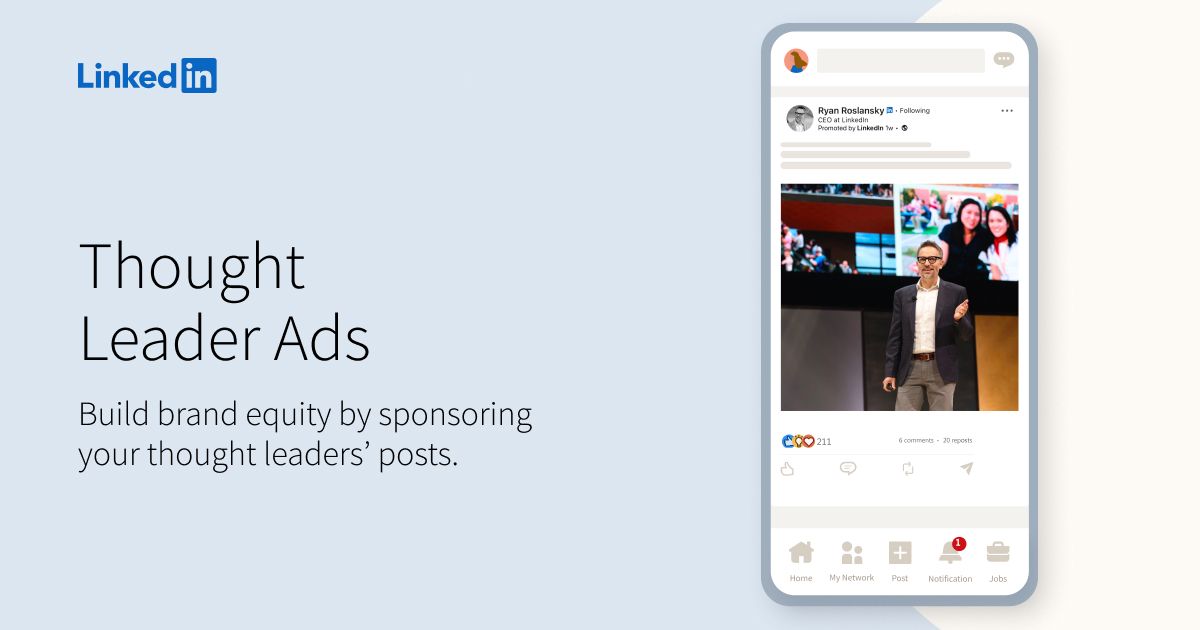
LinkedIn Thought Leader Ads are transforming how brands build credibility and engagement on the world’s largest professional network.
If your B2B marketing strategy still relies only on corporate posts or traditional Sponsored Content, you’re missing one of LinkedIn’s most powerful advertising tools.
In this post, we’ll explore why Thought Leader Ads on LinkedIn are so effective, how they work, and why you should integrate them into your LinkedIn advertising strategy.
What are LinkedIn Thought Leader Ads?
Thought Leader Ads let brands sponsor organic posts from LinkedIn members to amplify authentic voices that already engage with your audience. Unlike traditional sponsored content created by marketing teams, these ads promote real posts from real people.
LinkedIn expanded this format in 2024 to allow brands to sponsor posts from any LinkedIn member, not just employees. This opens the door to promoting customer testimonials, partner insights, and industry commentary alongside employee content.
The format works because it looks and feels like organic content. Research from Nielsen shows that 88% of consumers trust recommendations from people they know over any other form of advertising. Thought Leader Ads tap into that trust by putting human voices in front of targeted audiences.
Why Thought Leader Ads outperform traditional sponsored content
Standard LinkedIn ads have a credibility problem. Audiences recognise branded content and often scroll past it. LinkedIn's own data shows Thought Leader Ads generate higher engagement rates than traditional single-image ads.
The trust advantage
Edelman's Trust Barometer consistently finds that "people like me" are trusted more than corporate messaging. When a customer or employee shares their genuine perspective, it carries weight that a brand post cannot replicate.
Thought Leader Ads let you amplify that authentic voice to a precisely targeted audience, combining organic credibility with paid reach.
Real-world benefits
Better engagement. People respond to relatable, human content. Sprout Social's research shows employee-shared content receives 8x more engagement than content shared through brand channels.
Credibility lift. Third-party voices reduce the perception of overt marketing. A customer saying "this product solved my problem" is more persuasive than a brand saying "our product solves problems."
Event promotion. LinkedIn supports Thought Leader Ads for events, making them effective for driving attendance and awareness. Promote an employee post about speaking at your event rather than a generic registration ad.
Lower creative costs. The content already exists. You are amplifying organic posts rather than producing new creative assets.
How Thought Leader Ads fit your ad strategy
Thought Leader Ads are not a replacement for your existing LinkedIn advertising. They are an additional lever that works alongside standard Sponsored Content, Message Ads, and Lead Gen Forms.
LinkedIn's Campaign Manager supports Thought Leader Ads as a creative format within existing campaign structures. You can use the same targeting, bidding, and measurement tools you already know.
When to use Thought Leader Ads
| Scenario | Why It Works |
|---|---|
| Customer testimonial | Social proof from a real user |
| Employee expertise post | Subject matter authority |
| Event speaker promotion | Personal credibility drives registrations |
| Product launch commentary | Authentic first impressions |
| Industry trend analysis | Thought leadership positioning |
When to stick with traditional ads
- Direct response campaigns with specific CTAs
- Brand awareness with controlled messaging
- Product demos or explainer videos
- Retargeting with offer-specific creative
Best practices for using Thought Leader Ads
1. Find posts worth promoting
Look for organic posts with:
- Genuine commentary or personal insight
- High engagement relative to the author's typical posts
- Alignment with your brand narrative
- No competitor mentions or off-brand content
LinkedIn's algorithm research from Richard van der Blom shows that posts with high early engagement tend to perform well when amplified. Organic traction is a signal of content quality.
Prioritise authenticity over perfect production. A slightly rough post that feels real will outperform a polished piece that reads like marketing copy.
2. Secure permissions and credit
Even though LinkedIn allows brands to sponsor posts from any user, best practice is to:
- Request explicit permission before promoting
- Notify the author when the campaign goes live
- Share performance results with them afterward
This builds goodwill and often leads to future collaboration. Social Media Today's coverage notes that transparent communication is essential when promoting third-party content.
For employee posts, establish clear guidelines in your employee advocacy policy so team members know their content may be promoted.
3. Match creative to audience segments
Different posts resonate with different audiences. Use LinkedIn's targeting to match content to segments:
| Audience | Best Content Type |
|---|---|
| Prospects in awareness stage | Industry insight posts |
| Prospects evaluating solutions | Customer testimonials |
| Event targets | Speaker posts, behind-the-scenes |
| Talent acquisition | Employee culture posts |
LinkedIn's targeting options let you reach by job title, company, industry, skills, and more. Combine precise targeting with relevant Thought Leader content for maximum impact.
4. Measure meaningful KPIs
Track metrics that matter for your objectives:
| Metric | Source | What It Tells You |
|---|---|---|
| Impressions | Campaign Manager | Raw visibility |
| Engagement rate | Campaign Manager | Content resonance |
| CTR | Campaign Manager | Interest in learning more |
| Conversion rate | Campaign Manager + CRM | Business impact |
| Cost per lead | Campaign Manager | Efficiency |
| Brand lift | LinkedIn Brand Lift Test | Perception change |
A lifted CTR is encouraging, but conversion and downstream revenue matter most. Set up proper attribution using UTM parameters to track post-click behaviour.
5. Combine Thought Leader Ads with employee advocacy
The most effective approach uses both organic employee advocacy and paid Thought Leader Ads together:
- Organic first: Employees post content that resonates with their networks
- Identify winners: Track which posts generate strong organic engagement
- Amplify selectively: Promote top performers as Thought Leader Ads
- Extend reach: Paid distribution reaches audiences beyond employee networks
- Measure and iterate: Use results to inform future content creation
This creates a flywheel where organic content feeds paid amplification, and paid results inform organic strategy.
McKinsey's research on B2B omnichannel selling shows that 94% of respondents rate integrated, multi-channel approaches as effective as, or more effective than, before COVID-19.
Step-by-step: Setting up a Thought Leader Ad campaign
Step 1: Identify candidate posts
Review recent posts from employees, customers, and partners. Look for:
- Engagement above the author's baseline
- Relevant topic alignment
- No compliance or brand safety issues
Step 2: Request permission
Reach out to the author:
"Hi [Name], your recent post about [topic] performed really well and aligns with what we are trying to communicate. Would you be open to us promoting it to a broader audience through LinkedIn? We would keep you updated on performance."
Step 3: Create the campaign
- Create a new campaign with your objective (awareness, consideration, or conversions)
- Select Thought Leader Ad as the format
- Enter the post URL or select from available posts
- Configure targeting, budget, and schedule
- Launch and monitor
Step 4: Optimise based on results
After 7-14 days:
- Compare performance across different posts
- Adjust targeting based on engagement patterns
- Pause underperformers and scale winners
- Test new posts based on learnings
Quick checklist before you boost a post
Common mistakes to avoid
Promoting posts with no organic engagement. If a post did not resonate organically, paid amplification rarely fixes the problem. Start with content that already works.
Over-polishing before promotion. Resist the urge to edit posts before sponsoring them. The authentic voice is the point. Minor grammatical issues are fine.
Ignoring the author. Failing to communicate with the person whose post you are promoting damages trust. Keep them informed and share results.
Narrow testing. Do not put your entire budget behind one post. Test multiple pieces of content to find what resonates with your target audience.
Forgetting attribution. Without proper tracking, you cannot prove ROI. Set up UTMs and conversion tracking before launching.
Resources to learn more
- LinkedIn Thought Leader Ads Best Practices - Official guidance from LinkedIn
- LinkedIn Campaign Manager - Platform for creating and managing campaigns
- Social Media Today coverage - Updates on the format expansion
- HubSpot Marketing Resources - Broader social ad strategy and best practices
- LinkedIn Advertising Policies - Compliance requirements
How employee advocacy amplifies Thought Leader Ads
Thought Leader Ads work best when you have a consistent stream of quality organic content to promote. That requires an active employee advocacy programme.
When employees post regularly about their expertise, industry trends, and company culture, you build a library of potential Thought Leader Ad creative. The organic performance data tells you which content deserves paid amplification.
Our analysis of 400 million LinkedIn impressions found that top performers generated 45,000 impressions per post by prioritising quality over volume. That high-performing organic content becomes your Thought Leader Ad fuel.
Frequently Asked Questions
What are LinkedIn Thought Leader Ads?
Thought Leader Ads let brands sponsor organic posts from LinkedIn members to amplify authentic voices that already engage with your audience. Since 2024, brands can sponsor posts from any LinkedIn member, not just employees, including customers and partners.
Why do Thought Leader Ads outperform traditional sponsored content?
They look and feel like organic content and put a real person's voice in front of a targeted audience. LinkedIn's own data shows they generate higher engagement rates than traditional single-image ads, and the content already exists, which lowers creative costs.
Do I need permission to promote someone's LinkedIn post?
Best practice is to request explicit permission before promoting, notify the author when the campaign goes live, and share performance results with them afterward. For employee posts, set clear guidelines in your employee advocacy policy.
Which metrics should I track for Thought Leader Ads?
Track impressions, engagement rate, CTR, conversion rate, cost per lead, and brand lift. Conversion and downstream revenue matter most, so set up attribution with UTM parameters to follow post-click behaviour.