Vulse ArtVulse Art
Home/Linkedin Strategy

LinkedIn Launches Creator Marketplace: What It Means for B2B Marketers

  • LinkedIn Strategy
blog-image

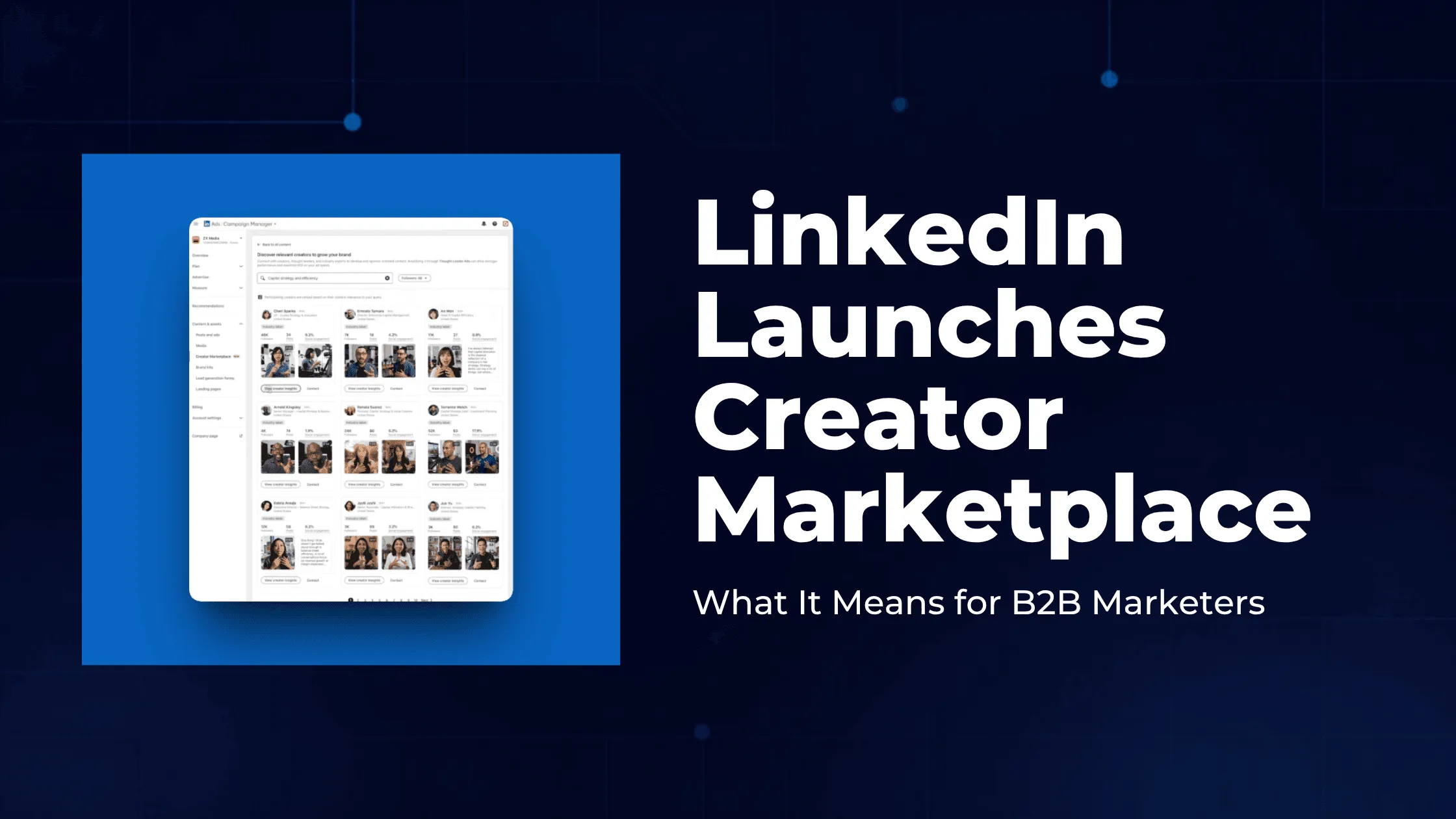
LinkedIn has launched two new offerings for B2B brands. Creator Marketplace, available inside Campaign Manager, helps brands discover and partner with vetted creators by topic, audience, and performance.

BrandWorks is a hands-on team of LinkedIn experts that helps brands and agencies build higher-performing campaigns. Both launched in June 2026 (Creator Marketplace initially in the US and Canada) and reflect a clear shift: B2B buyers now trust credible individual voices more than polished brand messaging. For marketers, the takeaway is that creator partnerships and employee advocacy are becoming the core of effective LinkedIn strategy.

On 10 June 2026, LinkedIn announced two significant additions to its B2B marketing toolkit: Creator Marketplace and BrandWorks. Both are built around the same insight, that buyers increasingly trust people over brands, and both signal how seriously LinkedIn is investing in the creator economy as the centre of B2B influence.

Here's what each does, why LinkedIn is making this move, and what it means for how B2B marketers should think about their LinkedIn strategy in 2026.

Key takeaways

  • LinkedIn launched Creator Marketplace and BrandWorks on 10 June 2026.
  • Creator Marketplace, inside Campaign Manager, lets brands find, assess, and partner with vetted creators by topic, audience, and performance.
  • BrandWorks is a team of LinkedIn experts providing hands-on campaign strategy and creative support, already used by SAP and Webflow.
  • The move is driven by data: 82% of B2B marketers say creators increase credibility with decision-makers, and 83% say credibility now matters more than traditional brand messaging.
  • Creator Marketplace launches first in the US and Canada.
  • Creator partnerships and employee advocacy are complementary, and the strongest 2026 strategies use both.

What is LinkedIn Creator Marketplace?

LinkedIn Creator Marketplace is a tool inside Campaign Manager that helps brands discover, assess, and partner with vetted creators. It centralises creator discovery, insights, and partnership tools in one place, so brands can find the right voices to amplify their message to a decision-maker audience.

According to LinkedIn, the marketplace lets brands do three things:

  • Find credible creators who influence buying decisions. Marketers can search for vetted creators by topic and content expertise, then assess each profile for audience make-up, performance, and fit.
  • Turn creator conversations into paid impact. Brands can identify organic and sponsored content that already features them, then amplify it with Thought Leader Ads to boost visibility with decision-makers.
  • Move from discovery to partnership faster. Brands can access creator contact information to connect directly about collaborations.

For creators, the marketplace is opt-in. Once a creator chooses to share their information, they control how they collaborate, which brands can reach them, how their work is showcased, and how sponsored content is used. Eligible creators sign up through a new Monetization tab.

Creator Marketplace launches first in the US and Canada, available via a new section under "Content and Assets" in Campaign Manager.

What is LinkedIn BrandWorks?

LinkedIn BrandWorks is a team of LinkedIn experts that provides hands-on campaign strategy and creative support to B2B marketers. Where Creator Marketplace is a self-serve discovery tool, BrandWorks is a service: a team across brand, creative, content, and events that works directly with brands and their agency partners.

LinkedIn says BrandWorks helps marketers turn audience insights into smarter strategy, create content aimed at how buyers actually engage, unlock more value from existing creative, and connect that creative to high-impact opportunities. Early customers include SAP and Webflow, who LinkedIn says used BrandWorks to turn strong creative into higher-performing campaigns.

Why LinkedIn is investing in creators

LinkedIn is investing in creators because B2B buyers increasingly trust individual voices more than brand messaging, and the platform's own data makes the case starkly. From LinkedIn's 2026 Global B2B Marketing Outlook:

  • 82% of B2B marketers say creators increase credibility with decision-makers.
  • 83% of B2B marketers say credibility matters more than traditional brand messaging.
  • 70% of marketers say buyers rely more on peer voices and experts than brand-produced content.
  • 56% of B2B buyers depend on creator input in the final stage of the buying process to validate recommendations.
  • 81% of B2B CMOs agree their organisation needs to deliver in new ways, and 78% say they need to change how they show up to stay relevant.

The pattern is unambiguous: polished corporate messaging is losing ground to credible human voices. LinkedIn has been building toward this for two years through BrandLink, Top Voices 360, Advice Sessions, podcast sponsorships, and creator-led events. Creator Marketplace and BrandWorks bring that ecosystem into one place.

There's a commercial logic for LinkedIn too. Funnelling revenue share to creators keeps top voices posting, which sustains the engagement that powers LinkedIn's ad business across its membership of more than 1.3 billion. LinkedIn has also benefited from the migration of professional conversation away from X, much of which has landed on LinkedIn.

What this means for B2B marketers

The launch confirms a strategic reality that's been building for a while: on LinkedIn, who says something now matters as much as what's said. For marketers, that has two practical implications.

First, creator partnerships are becoming a mainstream B2B tactic, not an experiment. With LinkedIn building dedicated infrastructure for brand-creator collaboration, partnering with external creators to reach new audiences is now a supported, measurable channel. If creator marketing has been on your "maybe later" list, the tooling to do it well now exists natively.

Second, and more importantly, the same trust dynamic that powers creator marketing also powers employee advocacy, and that's the channel most brands can act on immediately. Creator Marketplace helps you borrow credibility from external voices. Employee advocacy lets you build credibility through your own people, at a fraction of the cost and with no sponsorship fees. The two are complementary, and the strongest 2026 strategies use both.

Creator marketing and employee advocacy: complementary, not competing

It's worth being precise about how these two channels differ and how they fit together.

  • Creator marketing brings external reach and borrowed credibility. You partner with (usually pay) an established voice to put your message in front of their audience. It's powerful for reaching new audiences quickly, but it's a rented relationship that stops when the budget does.
  • Employee advocacy builds owned, sustained credibility through your own team. Your employees share authentic content through their personal profiles, reaching their networks consistently over time. It's lower cost, fully owned, and compounds as participation grows.

The most effective B2B brands run both: creator partnerships for spikes of external reach and credibility, employee advocacy as the always-on engine of owned reach. If you're weighing where to invest, employee advocacy is the foundation, because it's the channel you control entirely and the one that keeps working when campaign budgets pause. We cover how to build that foundation in our complete guide to employee advocacy strategy.

A note on the trust shift driving all of this

The data LinkedIn cites (credibility overtaking polished messaging, buyers trusting peers over brands) is the same shift that makes employee advocacy so effective. When 70% of marketers say buyers rely more on peer and expert voices than brand content, the logical response isn't only to hire external creators. It's to turn your own credible experts (your employees) into consistent, authentic voices. For more on why personal profiles outperform company pages, see our guide to how LinkedIn's 2026 algorithm works.

How to prepare, especially in the UK

Creator Marketplace is launching first in the US and Canada, so UK and other international marketers can't use it natively yet. But the underlying shift applies everywhere, and there's plenty to do now:

  1. Build your employee advocacy programme. It's available to you today, in any market, and it's the owned-reach foundation that creator marketing complements. See our roundup of the best employee advocacy tools.
  2. Identify your internal creators. The employees who already post well are your most valuable advocates. Support them first.
  3. Map relevant external creators in your category. Even without the marketplace, you can identify and build relationships with credible voices now, so you're ready when the tooling expands.
  4. Strengthen your measurement. Both creator marketing and advocacy need clear ROI tracking to justify investment. Our practical framework for measuring employee advocacy ROI applies to both.
  5. The bigger picture

    LinkedIn's Creator Marketplace and BrandWorks confirm what B2B marketers have been seeing in their own data: trust now flows through people, not logos. LinkedIn is building the infrastructure to match, giving brands more ways to work with credible voices and more support to make campaigns land.

    For most brands, the immediate opportunity isn't the marketplace itself (especially outside the US and Canada). It's recognising that the trust shift behind it is something you can act on today through employee advocacy, the one channel where your own credible voices, your own people, build owned reach that compounds over time. Creator Marketplace is a powerful addition to the toolkit. Employee advocacy is the foundation it sits on.

    Frequently asked questions

    What is LinkedIn Creator Marketplace?

    LinkedIn Creator Marketplace is a tool within LinkedIn Campaign Manager that helps brands discover, assess, and partner with vetted creators. Brands can search for creators by topic and content expertise, review audience data and performance, identify organic and sponsored content featuring their brand, and access creator contact information to start partnerships. It launched in June 2026, initially for the US and Canada.

    What is LinkedIn BrandWorks?

    LinkedIn BrandWorks is a team of experts across brand, creative, content, and events that provides hands-on strategy and creative support to help B2B marketers build higher-performing LinkedIn campaigns. It works with brands and their agencies to turn audience insights into strategy, create content suited to how buyers engage, and connect creative to high-impact opportunities. Early customers include SAP and Webflow.

    How is LinkedIn Creator Marketplace different from employee advocacy?

    Creator Marketplace helps brands partner with external creators and influencers to reach new audiences, usually through paid sponsorships. Employee advocacy activates a company's own employees to share authentic content through their personal profiles. The two are complementary: creator marketing brings external credibility and reach, while employee advocacy builds sustained, owned reach at lower cost. Most effective B2B strategies use both.

    Why is LinkedIn investing in creators in 2026?

    LinkedIn is investing in creators because B2B buyers increasingly trust people over brands. LinkedIn's 2026 research found that 82% of B2B marketers say creators increase credibility with decision-makers, 83% say credibility matters more than traditional brand messaging, and 70% say buyers rely more on peer and expert voices than brand-produced content. Investing in creator tools helps LinkedIn keep top voices posting and gives brands more effective ways to reach buyers.

    Is LinkedIn Creator Marketplace available in the UK?

    At launch in June 2026, LinkedIn Creator Marketplace is available to brands in the United States and Canada. LinkedIn typically expands such features to other markets, including the UK, over time, but no UK availability date has been confirmed. UK B2B marketers can prepare by building their employee advocacy and creator relationships now so they are ready when the marketplace expands.

    Further reading

    External reference:

Vulse ArtVulse ArtVulse Art
Vulse Art

You May also be interested in

  • blog img

    LinkedIn In-Network vs Out-of-Network Reach: What the New Metric Means And How to Use It

    LinkedIn has started showing creators exactly where their reach comes from. As of early June 2026, your post analytics now split impressions into two groups: people already in your network, and people who are not. It is a small interface change with a big strategic message, because the second number is the one that quietly decides whether your audience grows or stays the same. Here is the short version. In-network reach is the share of your impressions that came from your existing followers and connections. Out-of-network reach is the share that came from everyone else: people who found you through feed recommendations, reshares, and search. If you care about growth, personal branding, or proving that employee advocacy actually works, out-of-network reach is now the clearest signal you have. Key takeaways LinkedIn now breaks post reach into in-network and out-of-network percentages, shown in the discovery section under impressions. In-network reach measures how well content resonates with the audience you already have. Out-of-network reach measures how far it travels to new people. Out-of-network reach is the better proxy for audience growth, brand awareness, and advocacy performance. The update arrives alongside a refreshed, more compact format for document posts, which remain one of LinkedIn's highest-engagement formats. You can act on this immediately by tracking the split over time and doubling down on the content that consistently reaches beyond your own network. What changed in LinkedIn post analytics LinkedIn's director of creator products, Sam Corrao Clanon, confirmed the rollout in a public post on LinkedIn, and it was first reported by Social Media Today. As the feature ramps up globally, creators will see a percentage breakdown inside their post analytics that shows who saw a given post, grouped by whether or not those viewers already followed or connected with them. You will find it in the discovery section of your post analytics, sitting under your impressions count. Rather than a single reach figure, you now get the story behind that figure: how much of it stayed inside your circle, and how much spilled outside it. What is in-network reach on LinkedIn? In-network reach is the percentage of your post's impressions that came from people who already follow you or are connected to you. These are the people who chose to see your content. When in-network reach is high and engagement is strong, it tells you the post landed well with the audience you have built. It is a measure of resonance and loyalty. A post that performs almost entirely in-network is not a failure. Deep engagement from your core audience builds trust, keeps you top of mind, and often seeds the early activity that the algorithm needs before it decides whether to push a post further. What is out-of-network reach on LinkedIn? Out-of-network reach is the percentage of your reach that came from people who were not following or connected to you at the time. According to Corrao Clanon, these viewers discover you through distribution surfaces such as feed recommendations, reshares, and search. In plain terms, out-of-network reach is LinkedIn telling you, "this post escaped your bubble." It is the closest thing the platform gives you to a built-in audience growth metric, because every out-of-network impression is a chance to win a new follower, a new connection, or a new customer. Why out-of-network reach is the metric that matters most For years, LinkedIn reporting forced everyone to treat reach as a single lump sum. That hid the most important distinction in content strategy: the difference between talking to the same people again and reaching someone new. The reason the split matters comes down to how the LinkedIn feed works. The algorithm rewards content that earns early engagement and then keeps performing when shown to people beyond the author's network. Posts that travel out-of-network are, by definition, the posts the algorithm decided were worth recommending to strangers. Tracking that percentage tells you which topics, hooks, and formats have genuine pull, rather than which ones simply please the audience you already have. This is also why the metric is so valuable for two specific goals. What it means for employee advocacy The entire point of employee advocacy is to reach audiences a single company page never could. When ten, fifty, or five hundred employees post, the prize is not just more impressions, it is impressions in front of new, relevant people: their networks, and the networks beyond those. Until now, that promise was hard to prove. Out-of-network reach changes that. An advocacy programme that is working will show meaningful out-of-network percentages across its advocates, which is concrete evidence that employee content is expanding the company's audience rather than recycling it. If you manage advocates across an organisation, this is the number to put in front of your leadership. Tools that pull this data across a whole team, like Vulse's multiple account manager and automated content reports, make it possible to monitor reach quality at scale instead of one profile at a time. What it means for personal branding If you are building a personal brand, follower growth is the long game, and out-of-network reach is the leading indicator. A profile that consistently reaches outside its own network is a profile that is compounding. One that does not is, at best, holding steady. The practical move is to compare your two numbers across many posts and learn your own pattern. Some content will deepen relationships with your existing audience. Other content will introduce you to new people. The best creators do both on purpose, and they use live LinkedIn post analytics to know which is which. This new breakdown builds neatly on top of LinkedIn's earlier post performance alerts, giving you a fuller picture of how each post shapes your professional presence. How to increase your out-of-network reach You cannot control the algorithm, but you can give it more of what it rewards. Based on how out-of-network distribution works, here is where to focus. Lead with a hook that works without context. Out-of-network viewers do not know you. The first two lines have to earn the click on their own, with no assumption of prior trust. Write for shareability. Reshares are a primary out-of-network surface. Strong opinions, useful frameworks, and genuinely surprising data get shared. Vague updates do not. Use formats that travel. Document posts and carousels continue to perform strongly for engagement and dwell time, which helps content qualify for wider distribution. Make it search-friendly. Search is now an explicit out-of-network surface. Use the words your audience actually searches for, in your hook and throughout the post, rather than only insider jargon. Post consistently. A steady cadence gives the algorithm more chances to find your breakout posts. A reliable LinkedIn post scheduler and an AI post generator remove the friction that usually kills consistency. The document posts change, briefly Alongside the analytics update, LinkedIn refreshed how document posts appear in the feed, presenting them in a more compact, streamlined carousel format. It is a minor visual change, but a relevant one given that research has found document posts generate the highest engagement of any LinkedIn content type. A cleaner in-feed display could affect how often people stop, swipe, and engage, so it is worth watching your own document post performance over the coming weeks. How to track the in-network split over time A single post's breakdown is interesting. The trend across dozens of posts is where the strategy lives. The goal is to spot which themes reliably push you out-of-network, then build more content around them while still feeding your core audience the in-depth material that keeps them engaged. This is exactly the kind of analysis that is painful to do by hand and easy to do with the right reporting. If you run content for a team, especially in a sector where consistency and compliance both matter, a purpose-built LinkedIn content tool for professional services turns the raw numbers into a weekly view of what to do next. Frequently asked questions What is the difference between in-network and out-of-network reach on LinkedIn? In-network reach is the share of impressions from people who already follow or are connected to you. Out-of-network reach is the share from people who are not, who found your content through feed recommendations, reshares, or search. Where do I find out-of-network reach in LinkedIn analytics? It appears as a percentage breakdown in the discovery section of your post analytics, located under your impressions, as the feature rolls out globally through Is out-of-network reach good or bad? High out-of-network reach is generally a positive growth signal, because it means your content is reaching new people. In-network reach is not bad, though. It reflects how strongly your existing audience engages. Healthy accounts pay attention to both. Why does out-of-network reach matter for employee advocacy? Because expanding the company's audience is the entire goal of advocacy. Out-of-network reach gives advocacy managers direct evidence that employee posts are reaching new, relevant people rather than recirculating among the same connections. How can I increase my out-of-network reach on LinkedIn? Lead with a strong standalone hook, write content people want to reshare, use high-engagement formats like documents, include the terms your audience searches for, and post consistently so the algorithm has more chances to recommend your best work. Want to see exactly how far your team's LinkedIn content travels, and turn that into a report your leadership understands? See how Vulse works.

    Loading

    LinkedIn In-Network vs Out-of-Network Reach: What the New Metric Means And How to Use It

    by - Rob Illidge -

  • blog img

    LinkedIn Now Lets You Filter Comments by Verified Members

    LinkedIn has quietly rolled out a new comment sorting option that lets users filter replies by verified members only. It is a small interface change with significant implications for anyone using LinkedIn as a B2B content and engagement channel. Here is what the update involves and what it means for brands running employee advocacy programmes. What LinkedIn Has Changed LinkedIn has added a third sort option to post comments alongside the existing Most Relevant and Most Recent filters. The new option is called Verified Members, and selecting it shows only comments from users who have confirmed their identity on the platform. According to LinkedIn's own Help Centre documentation, the feature is designed to help members find authentic comments on posts with large comment volumes. The Verified Members filter surfaces insights from trusted professionals while reducing noise from automated, generic, or inauthentic comments. The feature is currently rolling out to a portion of users rather than the full platform, so you may not see it in your account yet. How LinkedIn Verification Works Unlike verification on Meta or X, LinkedIn verification is free. Members can confirm their identity through third-party support partners or by submitting government ID information directly. LinkedIn reported in December 2024 that more than 100 million members had verified their identity on the platform. Given that LinkedIn has over one billion members in total, verified accounts still represent roughly 10 percent of the user base, which is why the filter is a meaningful signal rather than a universal one. Why LinkedIn Is Prioritising Verified Content The timing of this update is not accidental. LinkedIn content has become a leading source for AI-generated answers, with research showing LinkedIn is among the most cited platforms by AI chatbots when generating professional and business-related responses. That citation value depends entirely on the quality and authenticity of the content being cited. If bot-generated or spam comments dilute the signal, LinkedIn's value as a trusted professional data source weakens. Surfacing verified member content is one way to protect the integrity of that data stream. There is also a straightforward commercial incentive: the more LinkedIn can demonstrate that its platform hosts authentic, high-quality professional conversations, the stronger its case for Premium subscriptions, advertising investment, and enterprise product sales. What This Means for Employee Advocacy Teams For B2B brands running employee advocacy programmes, this update has three direct implications. Verified employees carry more weight in comments. If your employees are engaging with prospects' posts, commenting on industry conversations, or responding to your own company content, a verified profile now places them in the priority tier when others filter by verification. An unverified employee advocate may not appear at all in filtered views. Verification is now a baseline, not a bonus. Until now, LinkedIn verification was something advocates could optionally pursue. This update shifts it closer to a minimum standard for anyone whose LinkedIn engagement is part of a broader business development or thought leadership strategy. Comment engagement on company posts becomes more valuable. Posts that attract verified member comments will produce higher-quality filtered feeds. Encouraging senior leaders, subject matter experts, and verified employees to comment on company content is now a deliberate reach and trust strategy, not just a vanity metric. What Advocacy Teams Should Do Now Audit your advocate pool for verification status. Identify which of your active employee advocates have completed LinkedIn's identity verification. For any unverified advocates, share LinkedIn's verification instructions and make verification part of your programme onboarding checklist. Update your advocacy programme guidelines. If you maintain a content kit, employee playbook, or onboarding document for your advocacy programme, add LinkedIn verification as a recommended first step. It takes minutes and the benefit compounds over time as the filter becomes more widely used. Prioritise comment engagement, not just post sharing. Employee advocacy programmes typically focus on sharing content from a library. This update is a prompt to also encourage employees to comment thoughtfully on relevant posts in their feed, particularly high-volume posts in your industry where a verified comment in the filtered view gives disproportionate visibility. Track verified engagement separately. If you are measuring your advocacy programme's impact, start segmenting engagement data by whether the interacting accounts are verified. This will become a more meaningful quality signal as LinkedIn continues to weight verified activity in its surfacing decisions. The Bigger Picture This update sits alongside a series of moves LinkedIn has made in 2026 to improve content quality and deepen the value of its professional data layer. Recent changes include expanded AI-powered conversational search, Crosscheck for comparing AI model outputs, and a leadership transition focused on AI development. The direction is consistent: LinkedIn is investing heavily in the credibility and quality of its professional content ecosystem. For brands whose growth depends on organic LinkedIn reach, that investment is only worth capturing if the humans representing your company in the feed are verified, active, and producing content that stands up to scrutiny. Employee advocacy built on authentic, verified professional voices is not just a nice-to-have in that environment. It is increasingly the baseline for visibility. Frequently Asked Questions What is LinkedIn's verified replies filter? It is a new comment sorting option that lets users view only comments from verified members. It sits alongside the existing Most Relevant and Most Recent filters and is designed to reduce spam and bot-generated comments in high-volume post discussions. Is LinkedIn verification free? Yes. Unlike Meta or X, LinkedIn verification does not require a paid subscription. Members can verify their identity through LinkedIn's third-party support partners or by submitting government ID information. Full instructions are available in LinkedIn's Help Centre. How many LinkedIn members are verified? As of December 2024, LinkedIn reported that more than 100 million members had verified their identity on the platform. LinkedIn has over one billion members in total, meaning verified accounts represent approximately 10 percent of the full user base. Does LinkedIn verification improve post reach? Not directly in terms of algorithmic distribution. However, verified member comments are now prioritised in the new filter view, which means verified advocates are more likely to be seen when users sort comments by verification status on high-volume posts. Should employee advocates get verified on LinkedIn? Yes. With LinkedIn now surfacing verified member comments in a dedicated filter, unverified advocates risk being invisible in filtered comment views. Verification should be treated as a standard onboarding step for any employee participating in a formal advocacy programme. What is the difference between LinkedIn verification and LinkedIn Premium? LinkedIn verification confirms a member's real-world identity and is free. LinkedIn Premium is a paid subscription tier that unlocks additional features including InMail credits, profile insights, and learning tools. The two are independent of each other: a member can be verified without Premium and vice versa. Will this filter affect how company page posts perform? Indirectly. Posts that attract substantial verified member engagement will produce richer, higher-quality filtered comment feeds, which may encourage more users to engage with that content. Brands that actively encourage verified employees to comment on company posts are likely to benefit as the filter becomes more widely adopted.

    Loading

    LinkedIn Now Lets You Filter Comments by Verified Members

    by - Rob Illidge -

  • blog img

    How To Use LinkedIn Articles And Newsletters To Scale Employee Thought Leadership

    In this exclusive guide, we'll show you how B2B marketing and HR teams can use LinkedIn long-form content, specifically Articles and Newsletters, to build scalable employee thought leadership that drives trust, discoverability, and pipeline signals.Purpose: Practical steps to launch and scale employee-written LinkedIn Articles and Newsletters.Outcome: Increased discoverability, shareable assets, and repeatable workflows for employee advocates.Who this helps: Marketing managers, internal comms, and HR teams running employee advocacy programs.Why long-form content matters for employee personal brandsShort posts amplify reach, but Articles and Newsletters create lasting assets.They index on LinkedIn and search engines, demonstrate expertise, and give employees a reusable content hub for speaking, sales enablement, and recruiting.LinkedIn’s own guidance on newsletters and articles shows they help authors build a subscriber base and extend reach beyond a single post. See LinkedIn’s help center for how LinkedIn newsletters work.Three reasons to include Articles and Newsletters in your employee advocacy playbookSearchable credibility: Articles live on the author’s profile and can be found via Google and LinkedIn search.Subscriber momentum: Newsletters create an opt-in audience that notifies subscribers when new issues publish.Repurposable assets: Long-form pieces feed shorter posts, videos, and sales enablement collateral.How to run a low-risk pilot for employee Articles and NewslettersStart small with a 6-week pilot that focuses on coaching, templates, and measurement.Week 0: Select authors and set goalsChoose 4 to 8 employees across sales, product, and customer success.Set simple goals: subscribers, article views, and lead signals from comments or messages.Week 1-2: Train and templateRun a two-hour workshop on topic selection and storytelling. Use practical templates: intro hook, 3 insight sections, and action items.Provide a headline swipe file and SEO tips for LinkedIn Articles.Week 3-6: Publish and amplifyPublish one article per author and convert it into a weekly or biweekly newsletter issue if traction appears.Amplify through employee networks with a simple share kit: suggested post copy, hero image, and tagging guidelines.Editorial and governance rules that keep the program scalableLong form introduces brand and compliance risk if unmanaged.Put straightforward governance in place:Lightweight editorial review for claims and sensitive content.Ownership rules: authors own voice, company reviews for legal or customer references.Republishing policy: who can repurpose company blog content and how to credit sources.Measurement: metrics that matterMeasure both direct and downstream impact.Direct: article views, read time, newsletter subscribers, and engagement rate.Downstream: inbound messages, demo requests mentioning content, and link clicks to gated assets.Track a small set of KPIs and add qualitative win stories from sales and recruiting.Repurposing playbook: get more from each long form pieceExtract 3–5 short posts promoting key quotes or stats.Create a 60–90 second video summarizing the article for LinkedIn native video.Convert article sections into a downloadable slide or checklist for lead capture.Tools such as an employee advocacy platform can automate content distribution and track amplification across the team.Best practices and examplesEncourage authenticity and useful takeaways. HubSpot’s guide to LinkedIn Articles is a practical resource for structure and optimization.Also, review industry thought leadership research to understand what audiences value in long-form content.Tip: Start with customer problems, lessons learned, or unique frameworks rather than promotional pieces. Readers subscribe for insights, not pitches.Questions AnswersQ: Who should own editorial coaching for employee newsletters?A: A cross-functional content lead or communications manager should coach authors, supported by subject matter reviewers.Q: How often should employees publish newsletters?A: Start with biweekly or monthly cadence. Frequency should match the author's bandwidth and the audience response rate.Q: Can company content be republished as employee articles?A: Yes, with clear attribution and small edits to reflect the author voice. Include a republishing clause in your governance doc.

    Loading

    How To Use LinkedIn Articles And Newsletters To Scale Employee Thought Leadership

    by - Rob Illidge -

Revolutionise Your LinkedIn Output Today

Got a question? Give us a call or start your free trail today