LINKEDIN POST SCHEDULER
Schedule LinkedIn Posts and Stay Consistent
Plan a month of posts across every personal profile and company page you manage, see them on one calendar, and change the time or the wording right up until a post goes live. Consistency grows reach, and a shared calendar is how a team keeps it.
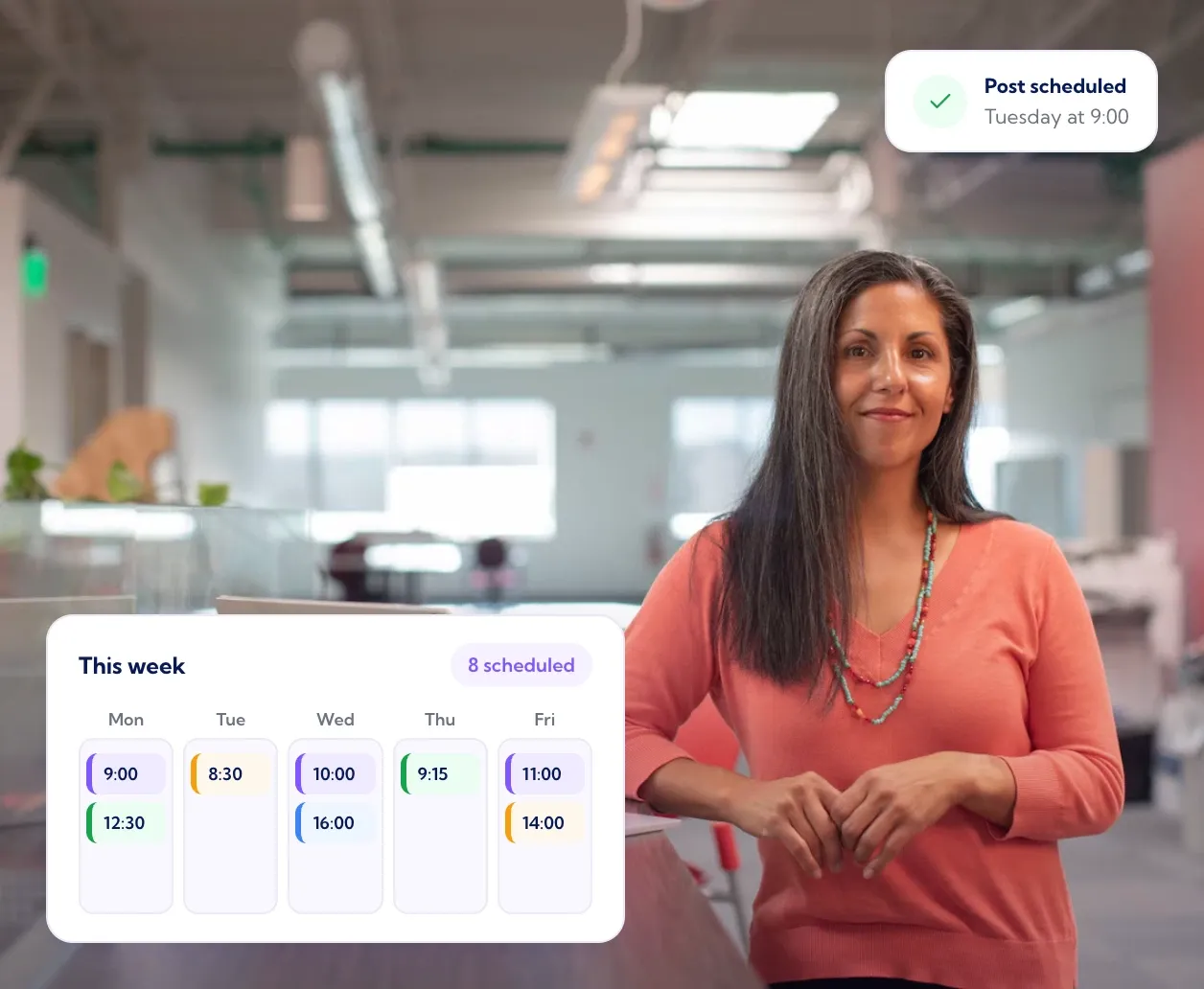
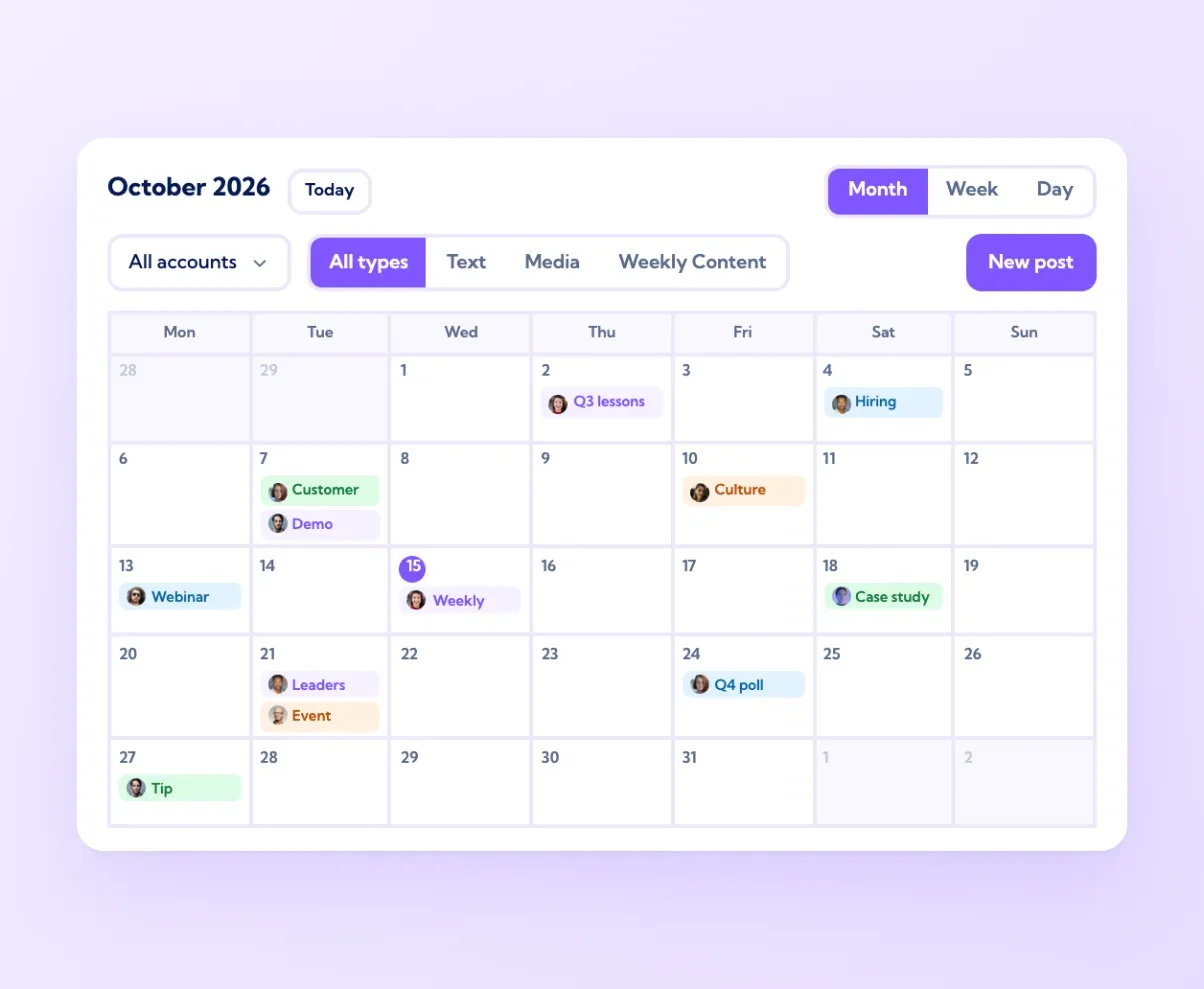
One calendar for every profile and company page
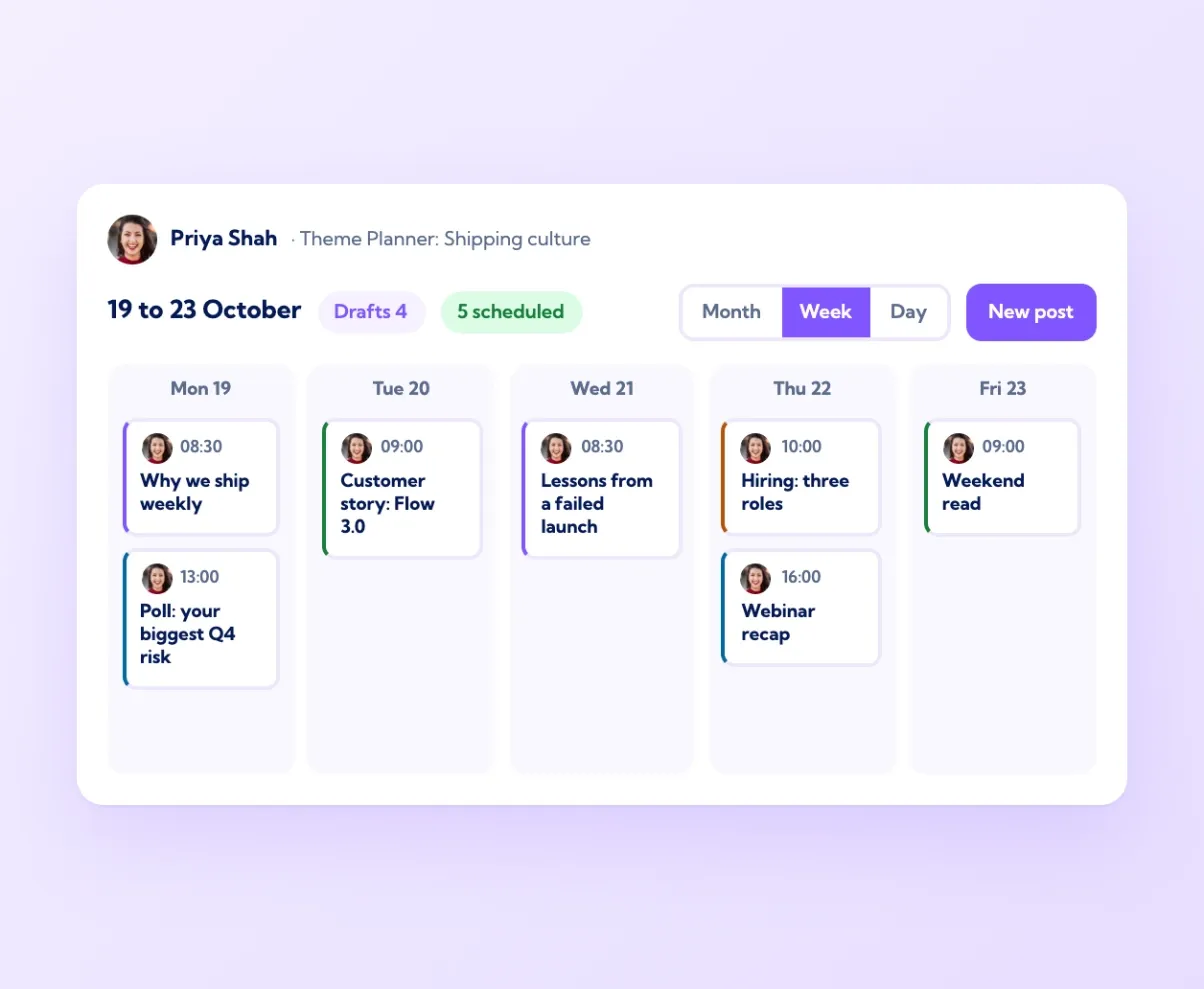
The Schedule screen shows every planned post across every connected account in a month, week or day view. Filter to a single person or page, or to text posts, media posts or weekly content, to see where the gaps are. A content lead can see at a glance that Tuesday has three posts and Thursday has none, that the company page is busy while the sales team has gone quiet, or that two people are about to post on the same topic an hour apart. Click any post to preview exactly how it will look on LinkedIn. Because personal profiles and company pages share one calendar, launches and campaigns line up across the whole team rather than being planned in six separate spreadsheets.
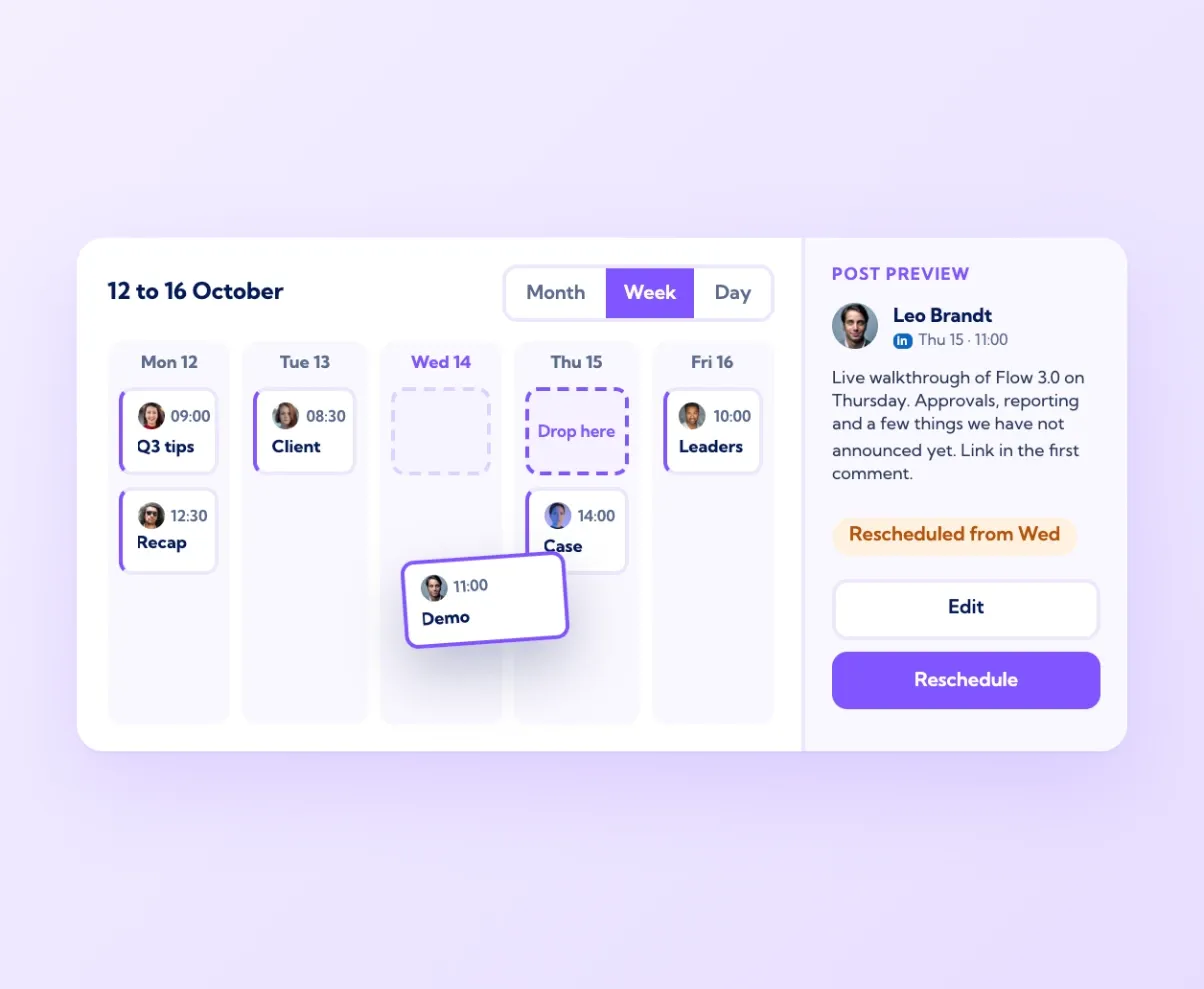
Drag to reschedule, edit until the moment it publishes
Scheduled posts are not locked. Drag a post to a new day on the calendar and it moves. Open it to change the wording, swap the image, add a first comment or push it back an hour because news broke. Every edit is saved to the same post, so nothing needs cancelling and rebuilding. Posts publish through LinkedIn's official API at the time you set, in the account's own time zone, and the Publishing issues panel in Settings tells you if anything did not go out and why. For a marketing team, this means a calendar that stays accurate when plans change, which they always do, instead of a list of posts that was right on Monday and wrong by Wednesday.
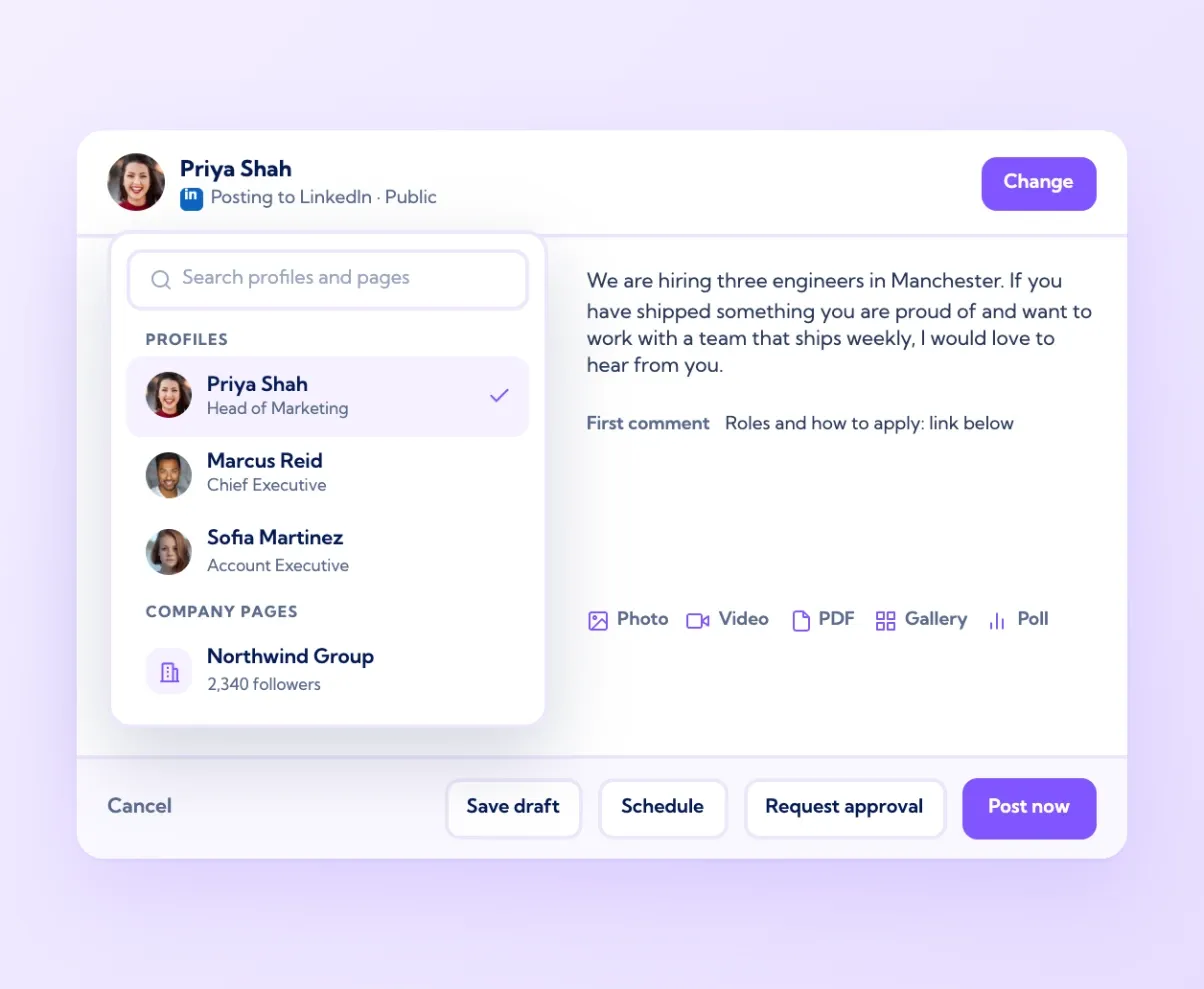
Write once, publish to several accounts
In the composer, "Change" picks who the post is from: your own profile, a colleague's profile you manage, or a company page. Write the post once, attach a photo, video, PDF, gallery or poll, add a first comment with the link, and schedule it. The live preview on the right shows exactly what LinkedIn will display, including the name and headline of the account you have chosen. If the same message needs to go out from several people, Amplify rewrites it in each of their voices rather than sending identical copies. Save as a draft, request approval, share it with the team for comment, schedule it or post now, all from the same screen.
Batch a week of content in one sitting
Consistency is easier when writing is done in one block rather than squeezed in between meetings. Open Theme Planner for a set of topics, use Auto create or Summarise URL to draft five posts in your own voice, improve the ones that need it, and schedule them across the week from the same screen. Drafts are kept in one place, so a half-finished idea on Monday is still there on Friday. The dashboard shows which of last week's posts performed best, which tells you what to write more of this week. An hour on Monday morning covers the week, and the calendar does the rest. Most teams on Vulse post three or more times a week per person this way, which is where LinkedIn reach starts to compound.

One calendar
Every profile and company page in month, week or day view

Flexible editing
Drag to reschedule and edit any post until it publishes

Any account
Pick who the post is from in the composer

Batch creation
Draft and schedule a week of posts in one sitting

Since using Vulse, I have posted 3x per week consistently, increasing my daily follower growth by 300%. The ability to schedule posts is a huge benefit, allowing me to enjoy building my personal brand and consistently produce content without the stress of planning.
Lara Hanson, Founder, Noux Talent
Frequently asked questions
Yes. Any personal profile or company page connected to your workspace can be scheduled from the same calendar. Pick the account in the composer and the post publishes from it at the set time.
Yes. Vulse has been an official LinkedIn API partner since 2019. Posts publish through the API, nobody shares a password, and there are no browser extensions.
Yes. Drag it to a new day on the calendar, or open it to change the text, image, first comment or time. Changes save to the same post.
A photo, video, PDF, image gallery or poll, plus a first comment that posts right after the update goes live.
As far as you like. Most teams plan a month at a time and review the calendar weekly against the results on the analytics dashboard at vulse.co/platform/linkedin-analytics-tool.
The Publishing issues panel in Settings lists any post that did not go out and the reason, usually an expired LinkedIn connection, so it can be reconnected and the post sent again.