LINKEDIN ANALYTICS TOOL
LinkedIn Analytics That Show What Actually Works
See which people and posts perform. Impressions, reactions, comments, shares and follower growth for every profile and company page, straight from LinkedIn's official API, compared with the period before and ranked on one dashboard.
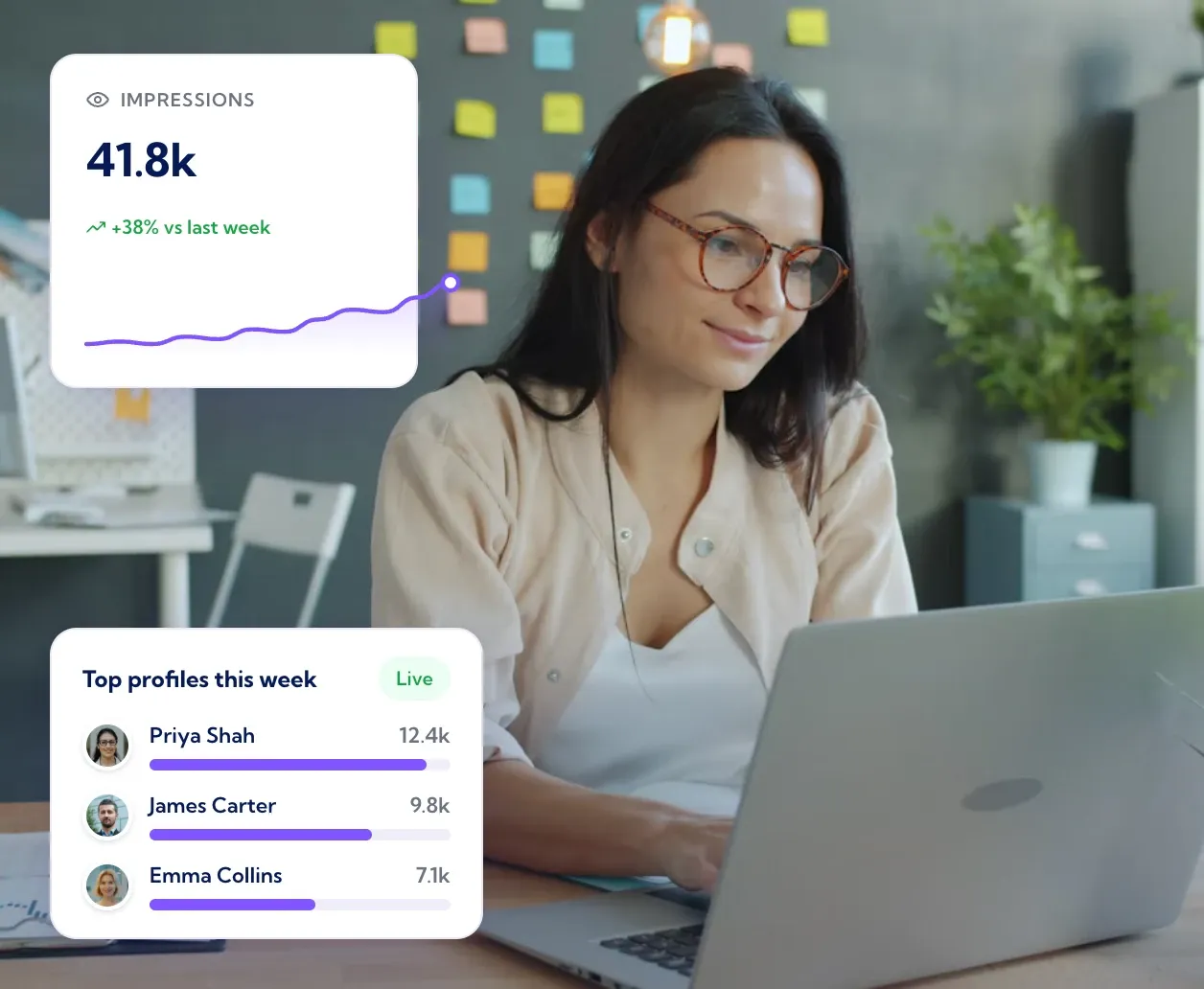
Live performance, compared with the period before
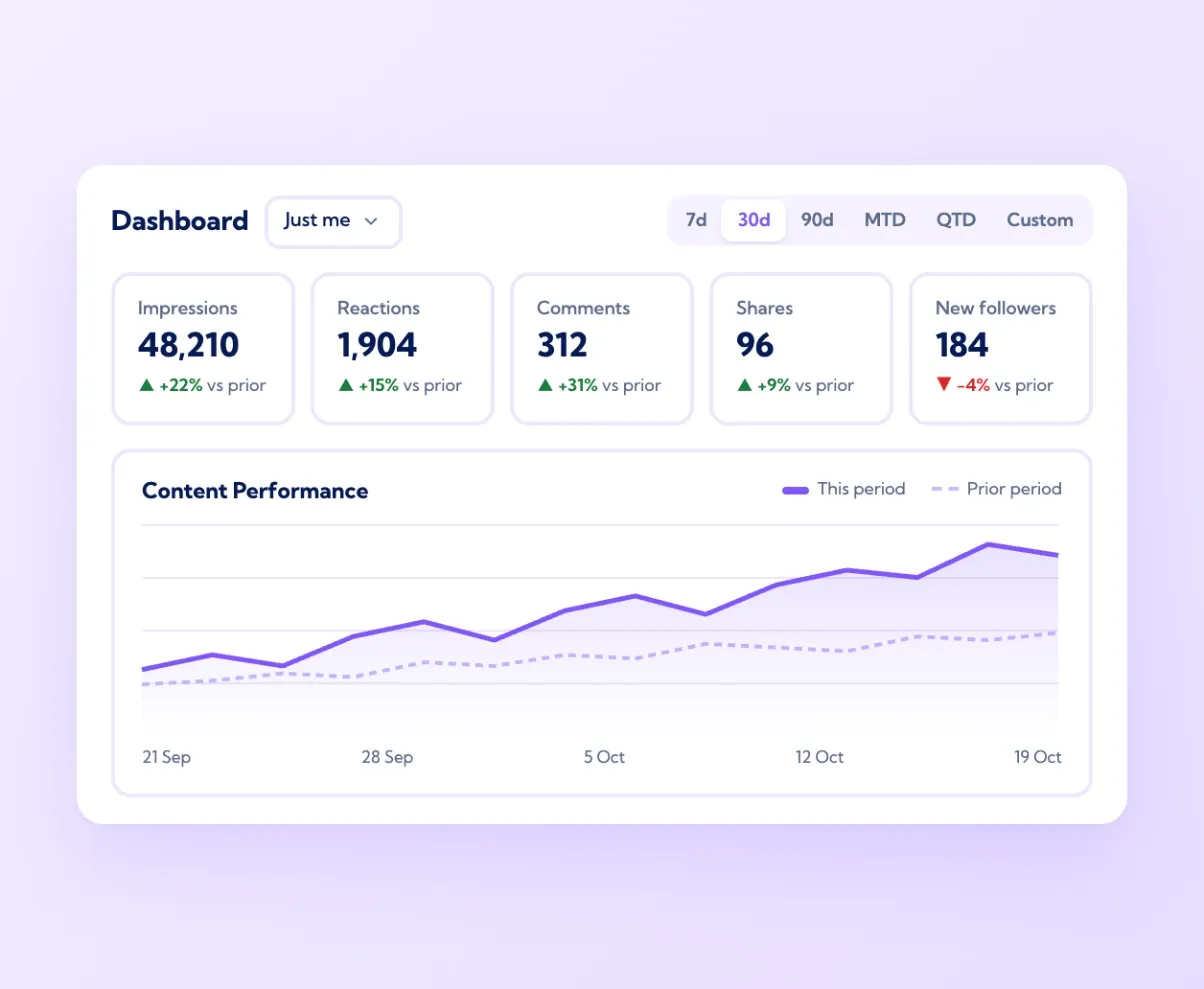
The dashboard opens on five numbers: impressions, reactions, comments, shares and new followers, each with the change against the prior period. Pick 7 days, 30 days, 90 days, month to date, quarter to date or a custom range, and every figure and the chart below update together. The Content Performance chart rescales to whichever metric you select, with the previous period drawn alongside, so a drop in impressions after a quiet week is obvious rather than buried. Data syncs from LinkedIn's API on a schedule, and the sync time is shown at the top of the screen. For an individual it answers "is this working?" in one glance. For a manager it answers "is it working for the whole team?" by switching the view from "Just me" to everyone.
Top performing posts, with engagement rate
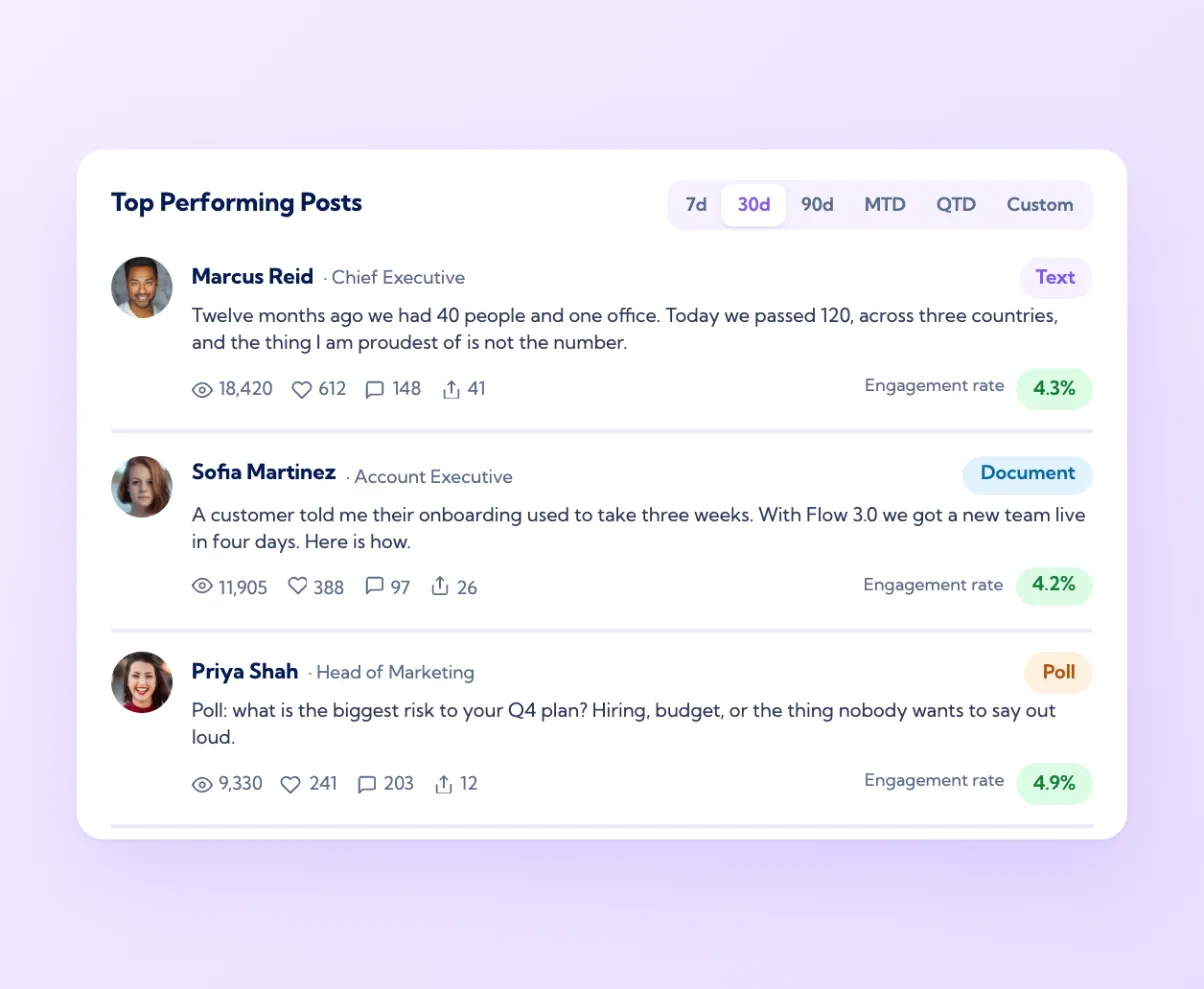
Below the chart, Vulse lists the most-seen posts from the selected period with their impressions, reactions, comments, shares, format and engagement rate. The format tag (text, media, document, poll) and the rate together show what the audience responds to: a text-only post with a 3.6% engagement rate beats a polished graphic at 1%, and that is worth knowing before the next week is planned. Click through to the post on LinkedIn or open it in Vulse to see the full text. Over a quarter, the list is a record of what to write more of. Teams use it in their Monday review to pick the three posts worth building on, and in quarterly reporting to show leadership which themes earned the most attention.
Vulse Score: one number for profile health
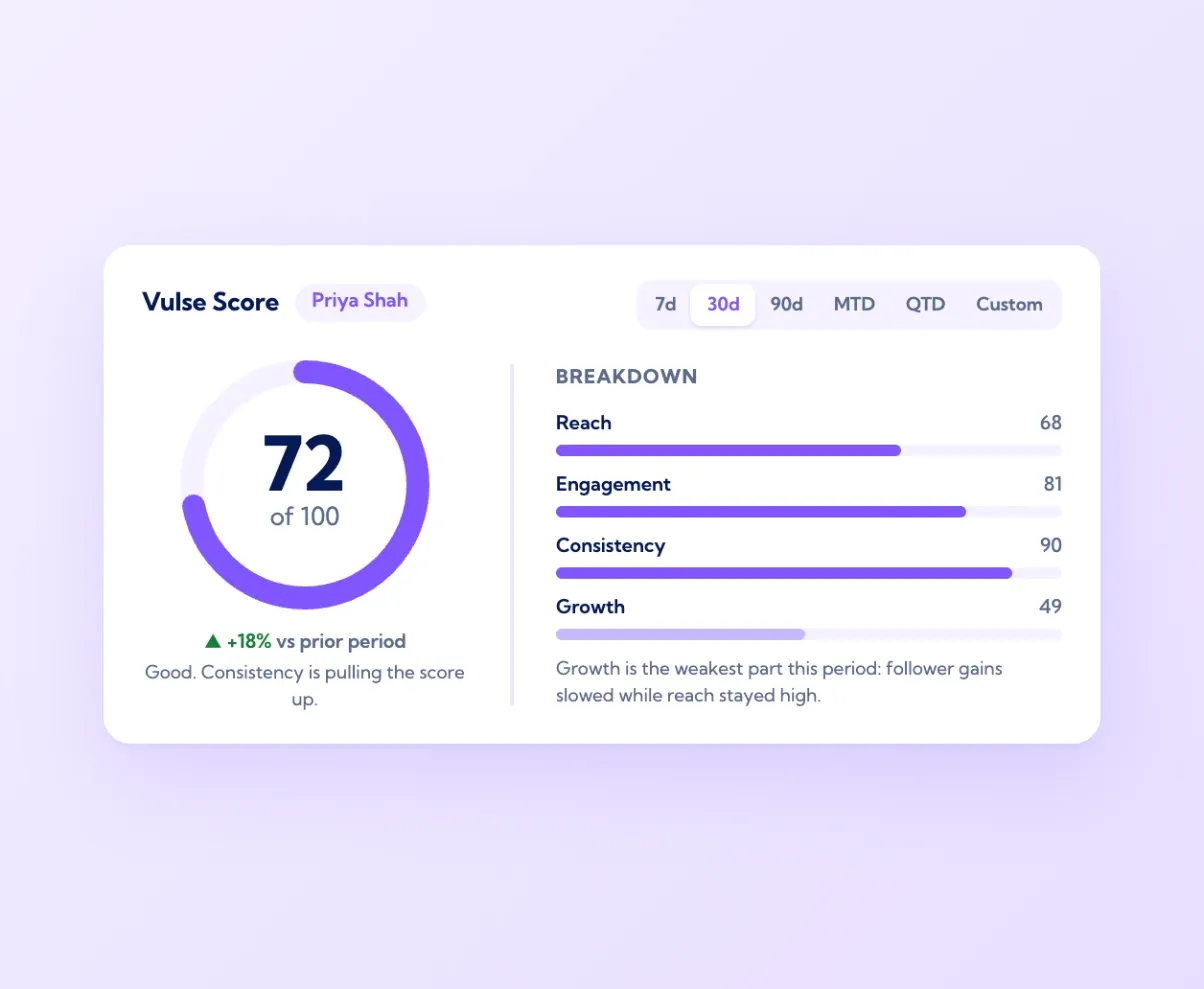
Every profile and page gets a Vulse Score out of 100. It is a composite of reach, engagement, consistency and growth over the selected period, with a breakdown that shows which part is strong and which is dragging the score down. A profile that posts often but gets little engagement scores differently from one that posts rarely but lands every time, and the breakdown tells each person what to change. The score moves with the period you have selected and shows its change against the prior period. It is the number the team leaderboard ranks on, which keeps the ranking fair between a founder with 36,000 followers and a new starter with 400. Managers use it to spot who needs support, and individuals use it to see steady progress rather than chasing one viral post.
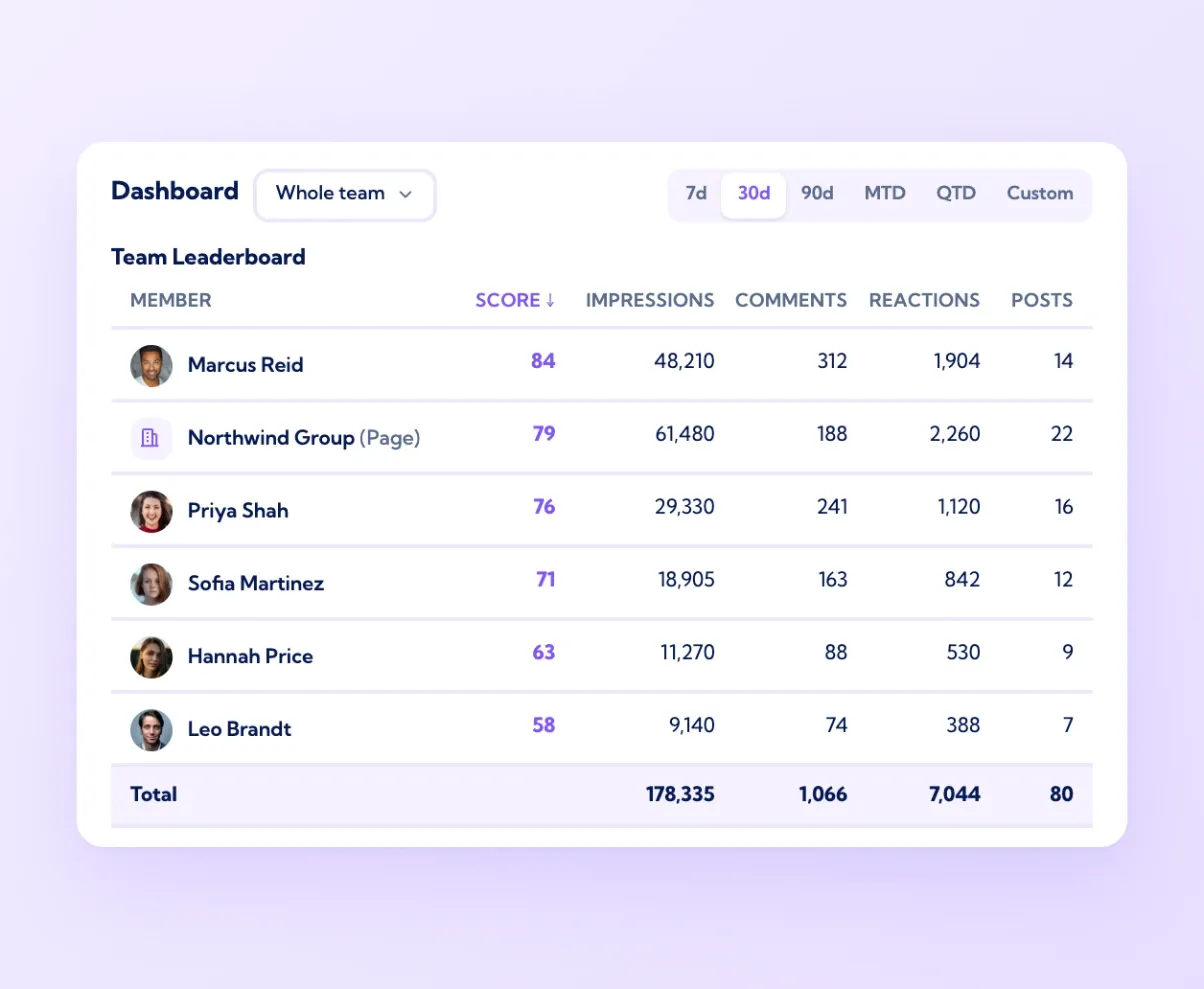
The whole programme on one dashboard
Switch the dashboard from "Just me" to the full team and every number becomes a programme view: total impressions across all profiles and pages, total engagement, total new followers, and a leaderboard of every member ranked by Vulse Score and sortable by any column. The totals row at the bottom sums the lot, which is the figure that goes in the board report. Because company pages and personal profiles sit in the same table, the dashboard shows how much reach comes from each, and in most companies the profiles win by a wide margin. Amplify adds an email report so the summary lands in inboxes every week without anyone logging in. This is what replaces the spreadsheet and the screenshot requests: one view that is right every time it is opened.

Live data
Metrics from LinkedIn's official API, compared with the prior period

Top posts
What earned the reach, with engagement rate and format

Vulse Score
One number for profile health, with a breakdown

Team view
Every profile and page totalled on one dashboard

Vulse has allowed me to stay consistent, overcome writer's block, and analyse post-performance. My impressions and engagement have increased, with other users contacting me to compliment my content.
Marcell Edwards, Global Talent Acquisition, Adidas
Frequently asked questions
Vulse tracks impressions, reactions, comments, shares and new followers for every connected profile and company page, each compared with the prior period, plus top posts, engagement rate and a Vulse Score per account.
From LinkedIn's official API. Vulse has been an API partner since 2019. There are no browser extensions and no scraping.
Yes. Switch the dashboard from "Just me" to the full team for totals across every profile and page and a leaderboard ranked by Vulse Score. See vulse.co/platform/linkedin-team-leaderboards.
A composite profile health score out of 100 built from reach, engagement, consistency and growth, with a breakdown showing which part needs work. It is what the team leaderboard ranks on.
Yes. Choose 7d, 30d, 90d, MTD, QTD or a custom range and every metric shows its change against the equivalent prior period, with both periods drawn on the chart.
Yes. Amplify includes a weekly email report summarising the team's results, so leaders see the numbers without logging in.
Yes. Live analytics include ROI attribution reporting, and every metric is benchmarked against the prior period. Each person's Vulse Score shows how their reach, engagement, consistency and growth compare with the rest of the team.
Yes. Analytics sit in the same platform as the LinkedIn post scheduler and the approval workflow, so a post can be drafted, approved, scheduled and measured in one place. Governance controls let managers review posts before they go live.
Vulse is ISO 27001 certified and GDPR compliant, connects through LinkedIn's official Community Management API, and hosts data in the EU by default, with US hosting available. Each person connects with a LinkedIn token they can revoke at any time.
Marketing, communications, sales enablement and employer brand teams at B2B companies, from a single team of ten to enterprise programmes with hundreds of seats. Pricing is per seat, from $6 to $18 a month on annual billing. See vulse.co/pricing.