LINKEDIN COMMUNITY MANAGEMENT
Manage Your LinkedIn Community in One Place
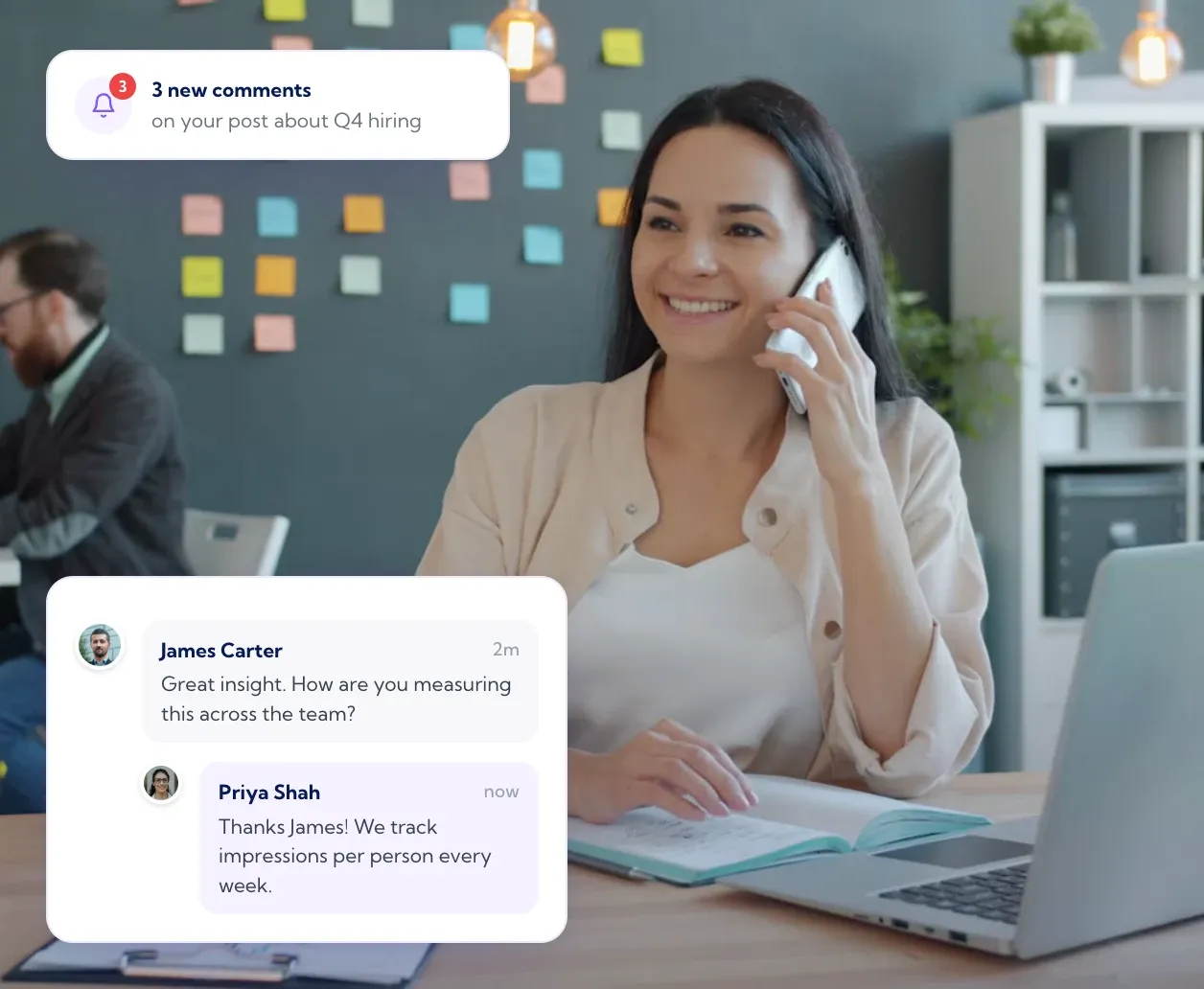
Every post and comment that mentions your company pages lands in one feed, newest first, and your team replies from whichever connected profile or page suits the conversation. Nobody shares a login and nobody misses a mention on a page they do not check.
Every company page mention in one feed
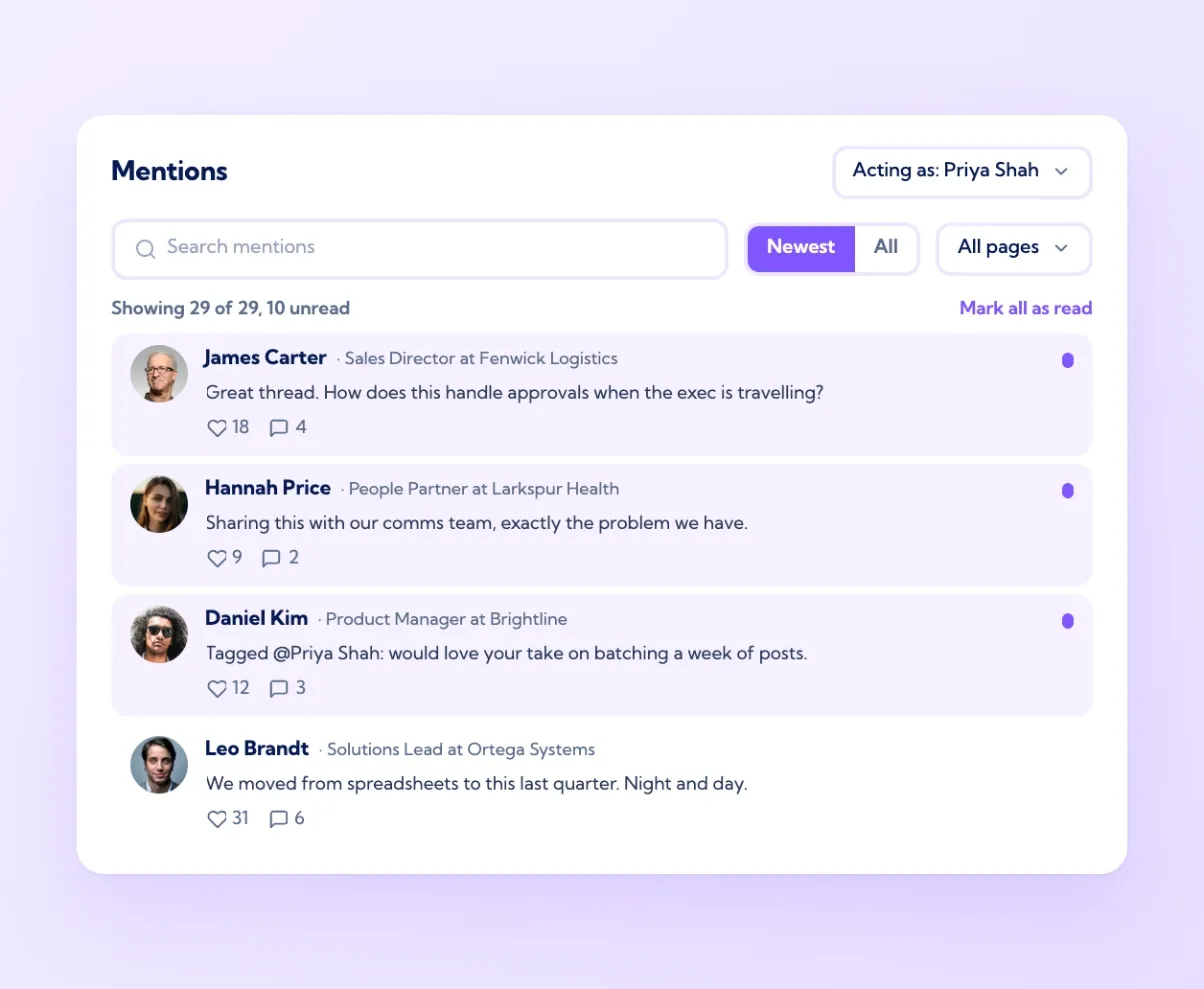
The Mentions screen pulls in every public post and comment that tags or names one of your connected company pages, across all of them, newest first. Filter to one page when you need to, search by keyword, and mark everything as read once the morning check is done. Each mention shows who posted it, their headline, the first lines of the post and its reactions and comments, so you can judge in a second whether it is a customer, a candidate, a partner or a prospect. Unread mentions are counted at the top. For a company with three pages and a team that only ever checked the main one, this is usually where a month of missed conversations surfaces on the first day.
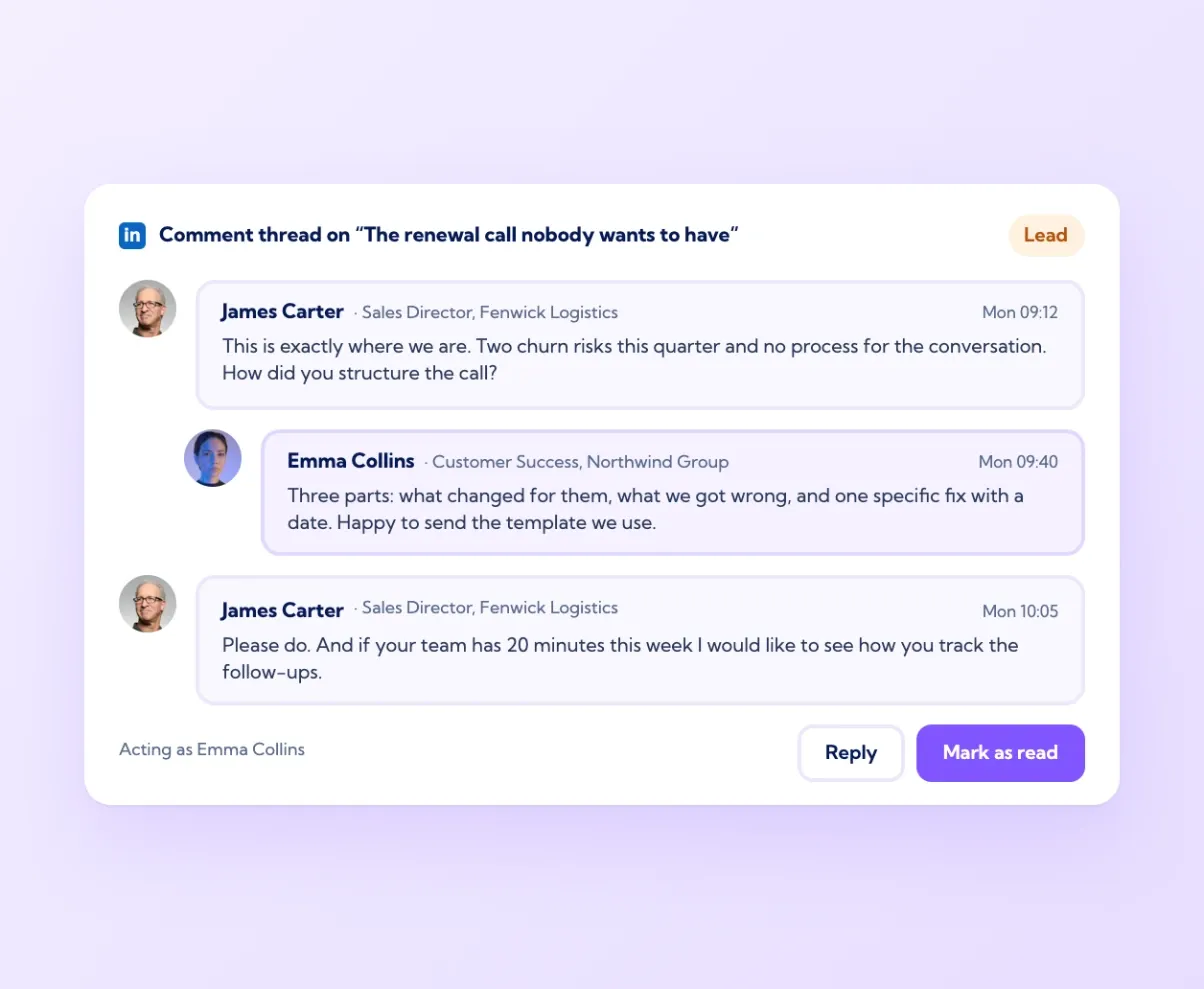
Turn a comment into a conversation, then a customer
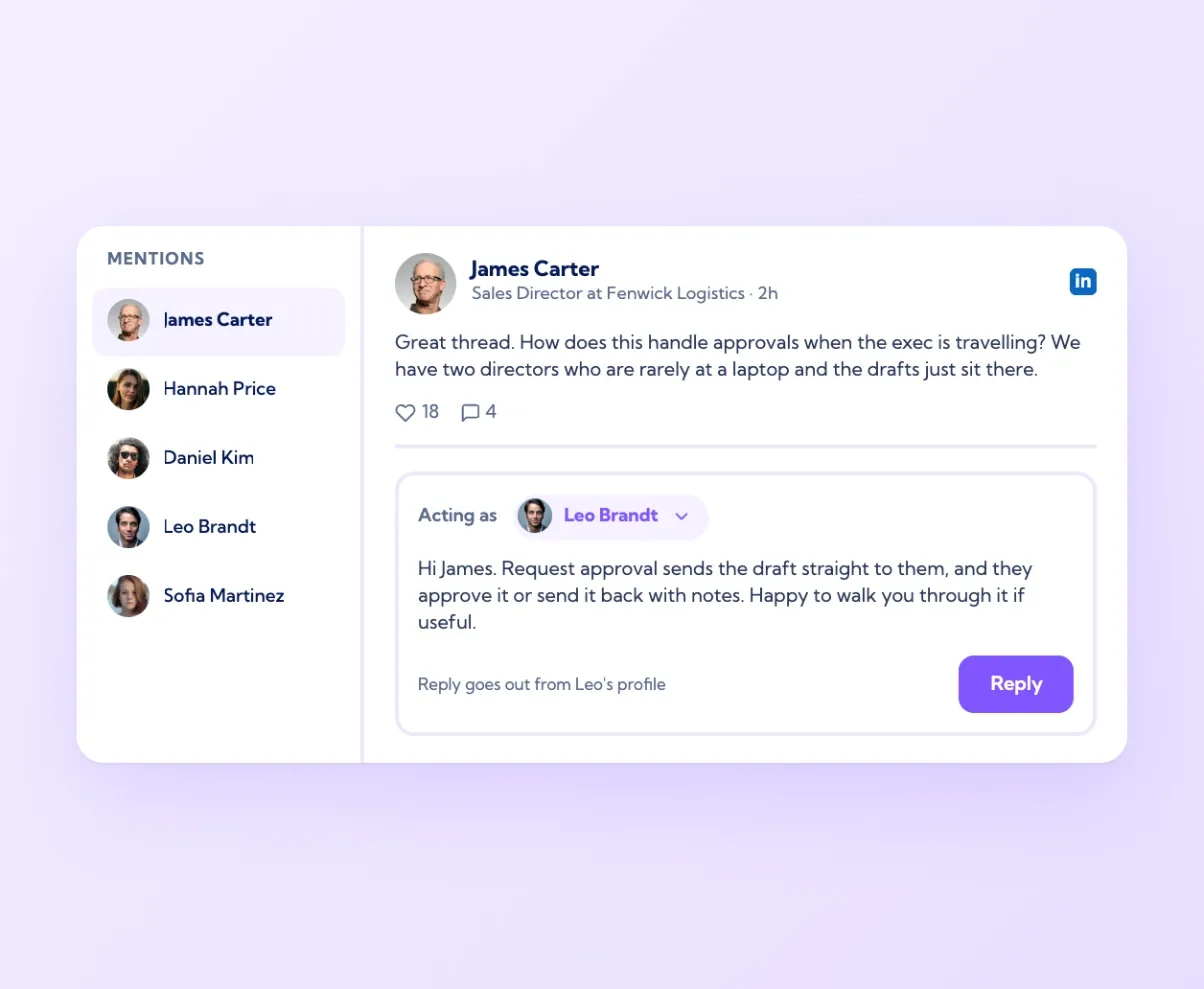
Most LinkedIn leads start as a comment on someone's post. The Mentions feed is where that first reply happens, and the dashboard shows which posts are drawing the most comments so the team knows where to spend its time. A prospect who comments on a post about reporting gets a reply from the person who wrote it, a follow-up question, and an offer to show them. The whole exchange happens in public on LinkedIn, which is where the next prospect reads it. Marketing sees which topics start conversations, sales sees who is asking questions, and both work from the same feed. Comments are the cheapest engagement LinkedIn offers and the one most teams ignore because the mentions are scattered. Putting them in one place is the fix.

One feed
Every company page mention, newest first

Right voice
Reply as any connected profile or page

Secure access
Official API, no passwords, ISO 27001

Real relationships
Comments become conversations, in public
This tool is the one to use. The best thing is that the people at Vulse listen to their users on what they need to make the product better and as a result, it is constantly evolving and moving with the times.
Claire Woods, Director, Kennedy Woods
Frequently asked questions
Keeping up with the posts and comments that mention your company and replying to them. Vulse puts every mention of your company pages in one feed and lets your team reply from any connected profile or page.
Yes. The Mentions screen lists every public post and comment that tags or names your connected pages, across all of them, newest first, with a filter per page.
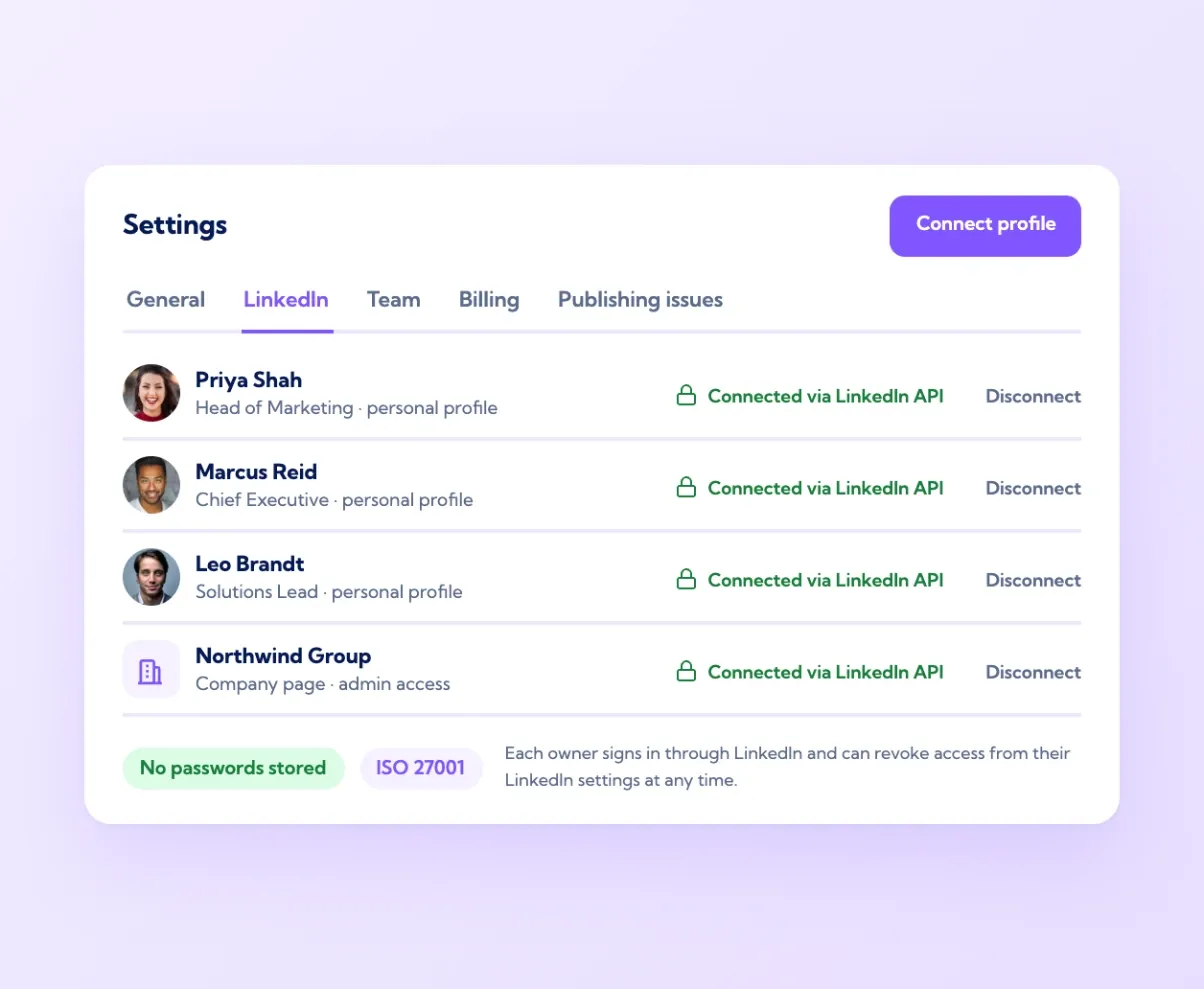
Yes. Each person connects their own profile, pages connect through their admin, and replies go out through LinkedIn's official API. No passwords are shared or stored.
Yes. "Acting as" sets which connected profile or page the reply comes from, so a question gets an answer from a named colleague rather than a logo.
Yes. Comments and reactions on every connected profile's posts appear on the analytics dashboard at vulse.co/platform/linkedin-analytics-tool, with the top posts by engagement rate.
Vulse is ISO 27001 certified, offers EU or US hosting, and only reads and publishes through LinkedIn's official API. See vulse.co/security.