MULTI-ACCOUNT MANAGEMENT
Manage Multiple LinkedIn Accounts From One Dashboard
Run every personal profile and company page you look after from one dashboard, as one joined-up LinkedIn strategy. Switch accounts in a click, draft for leaders who never log in, and see every account side by side, all through LinkedIn's official API.
Connect every personal profile you manage
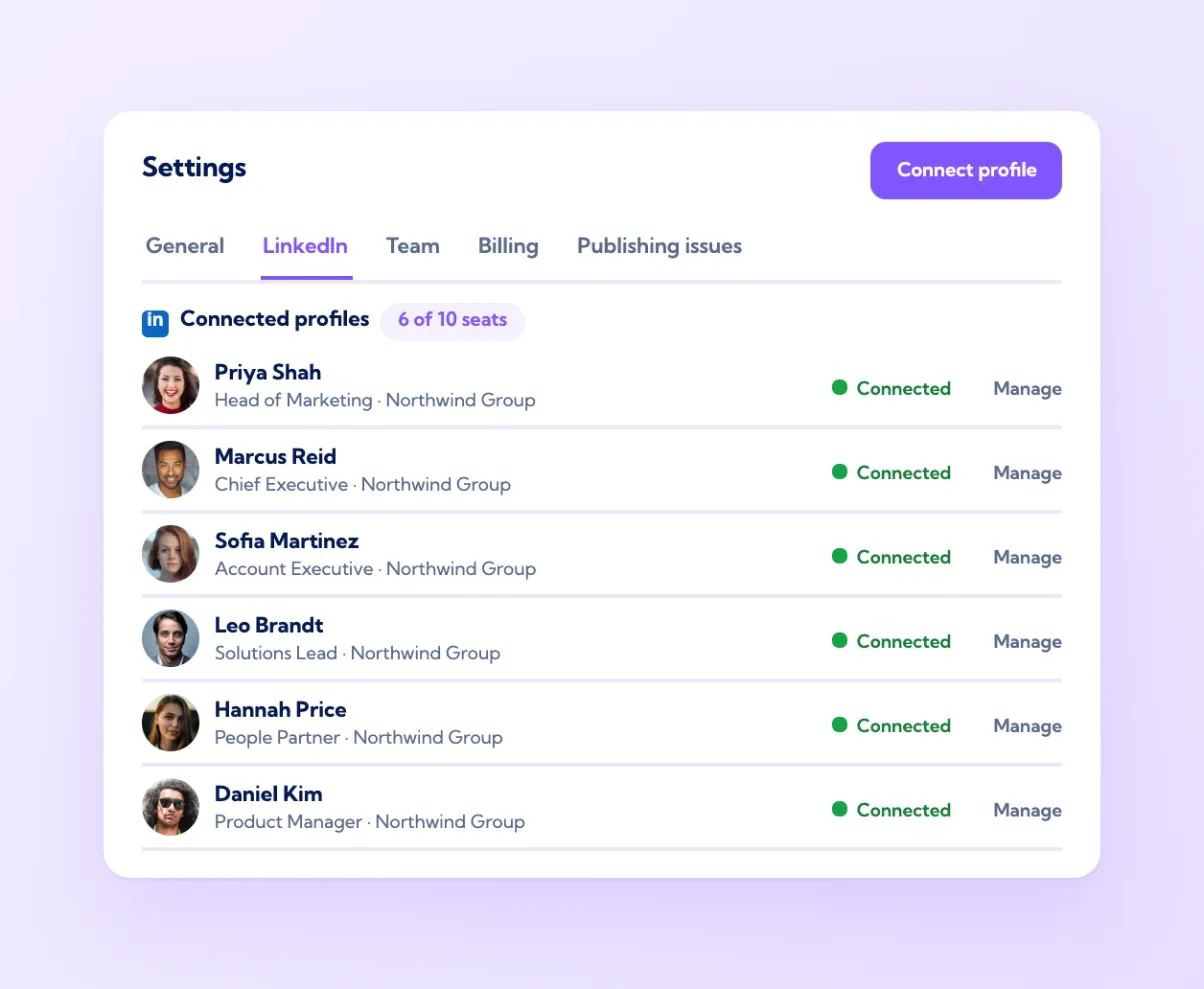
Each person connects their LinkedIn profile once, through LinkedIn's own sign-in. From then on, their profile sits in the workspace alongside everyone else's: the sales team, the founders, the recruiter, the people in marketing who post for themselves. You can create, schedule and review content for any of them, see each profile's impressions, reactions, comments and followers on the dashboard, and rank them on the team leaderboard. The connection is a token issued by LinkedIn, which the owner can revoke at any time from their own LinkedIn settings. Vulse never stores a LinkedIn password. For an agency or a marketing team, this is the difference between managing six people's LinkedIn presence and juggling six logins in six browser windows.
Company pages alongside personal profiles
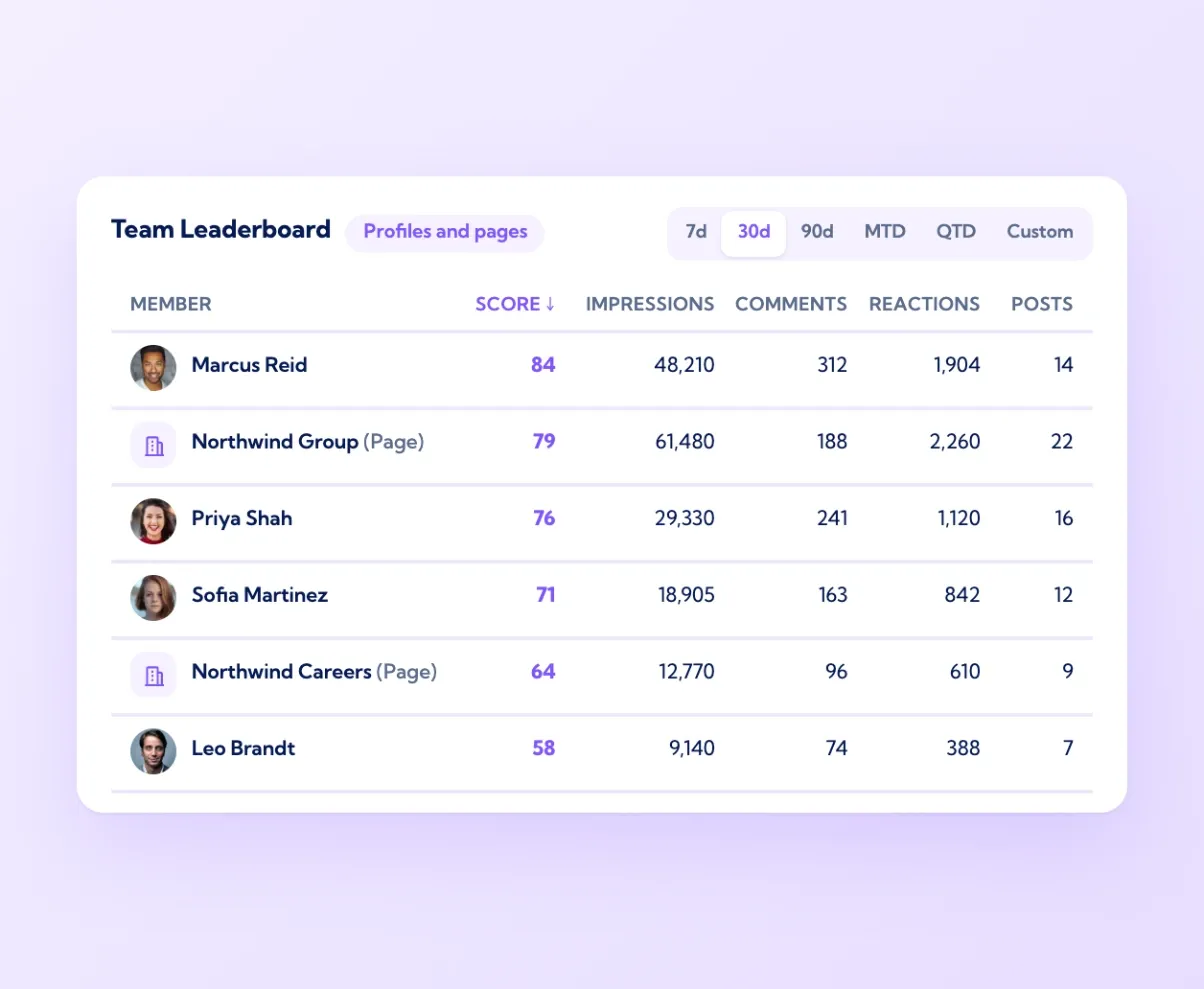
Company pages you administer connect the same way and appear in the same workspace. Schedule page posts on the same calendar as employee posts, so a product launch on the page and the three personal posts that follow it are planned as one sequence. Mentions of the page land in one feed, and replies go out from the page or from a person, whichever suits the conversation. On the dashboard and the leaderboard, pages and profiles show side by side, which answers the question every marketing lead eventually asks: how much of our LinkedIn reach comes from the page, and how much from our people. In most companies the answer is that personal profiles do the heavy lifting, and seeing both in one view is what proves it.
Post on behalf of executives, with their approval
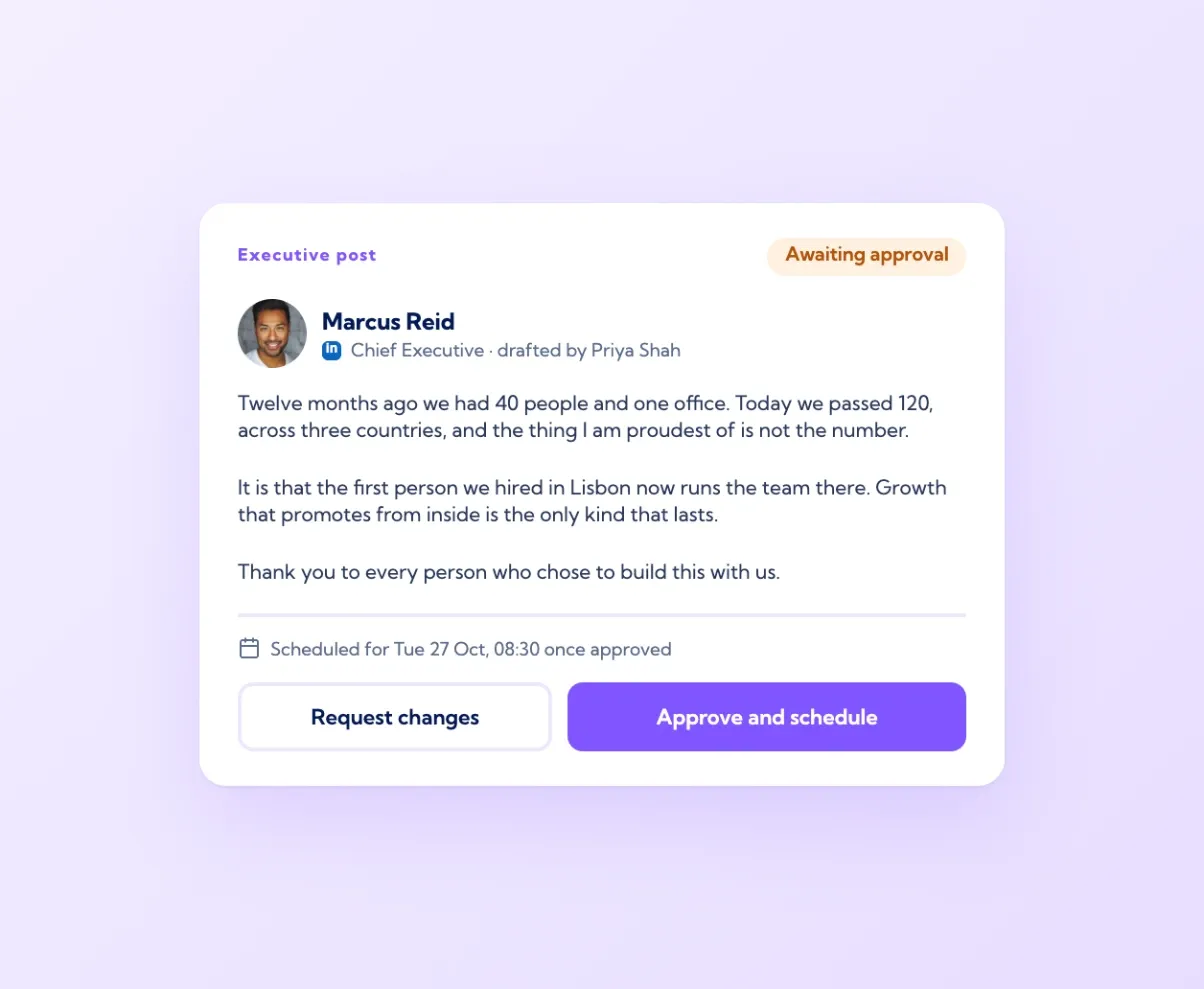
Leaders rarely have time to write, but their posts reach further than anyone else's. In Vulse, a marketing or comms team drafts in the executive's voice using the Tone Match tools, then clicks Request approval. The executive gets the draft, reads it, approves it or sends it back with a note, and the post is scheduled to their profile without them opening the full app. The draft is written from their own past posts, so it sounds like them rather than like the company page. Nothing publishes without their say, which is what makes executives comfortable handing the work over. This is how a CEO ends up posting twice a week without writing a word, and why the comms team can plan a quarter of leadership content in advance.
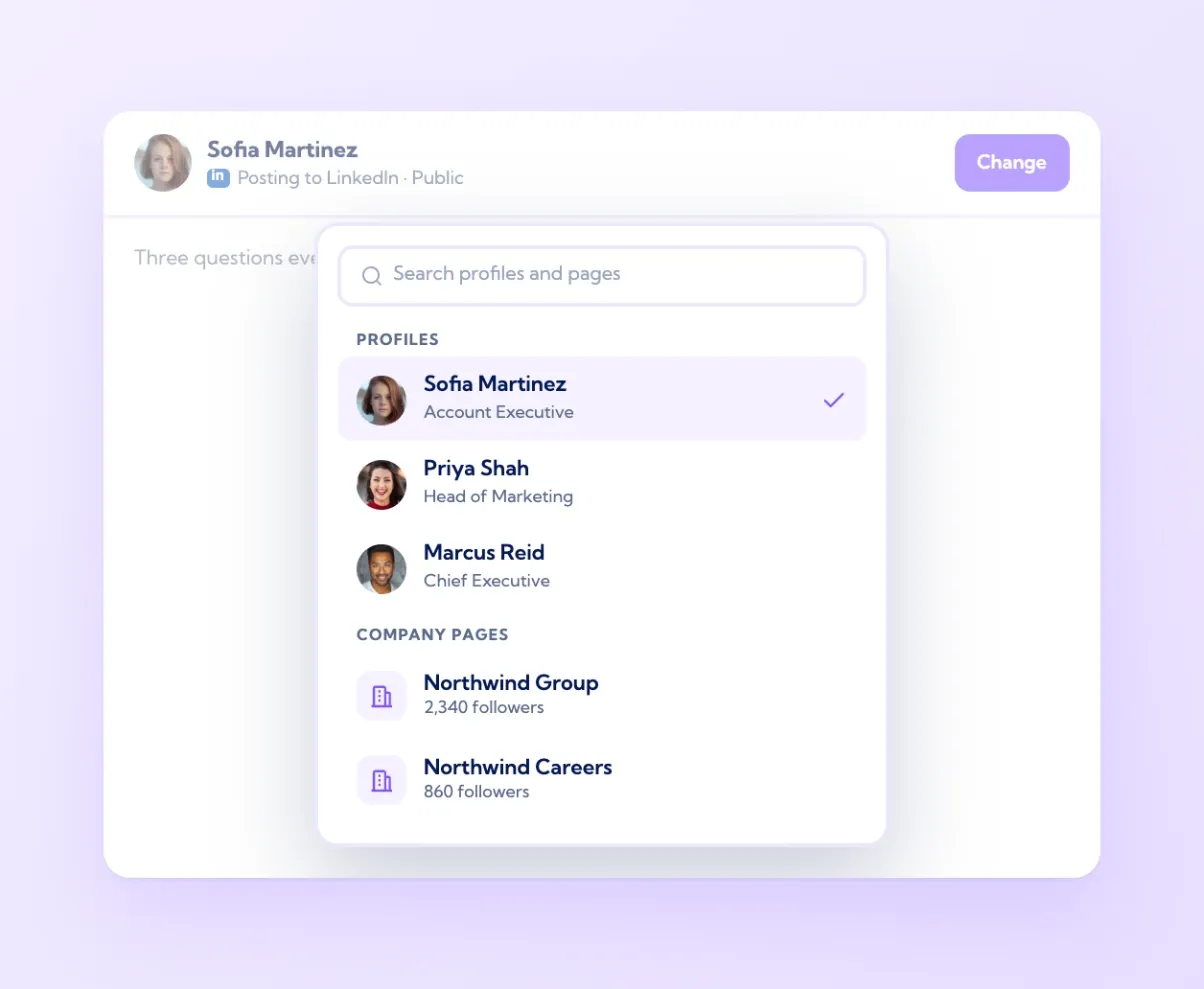
Switch accounts in one click, stay signed in once
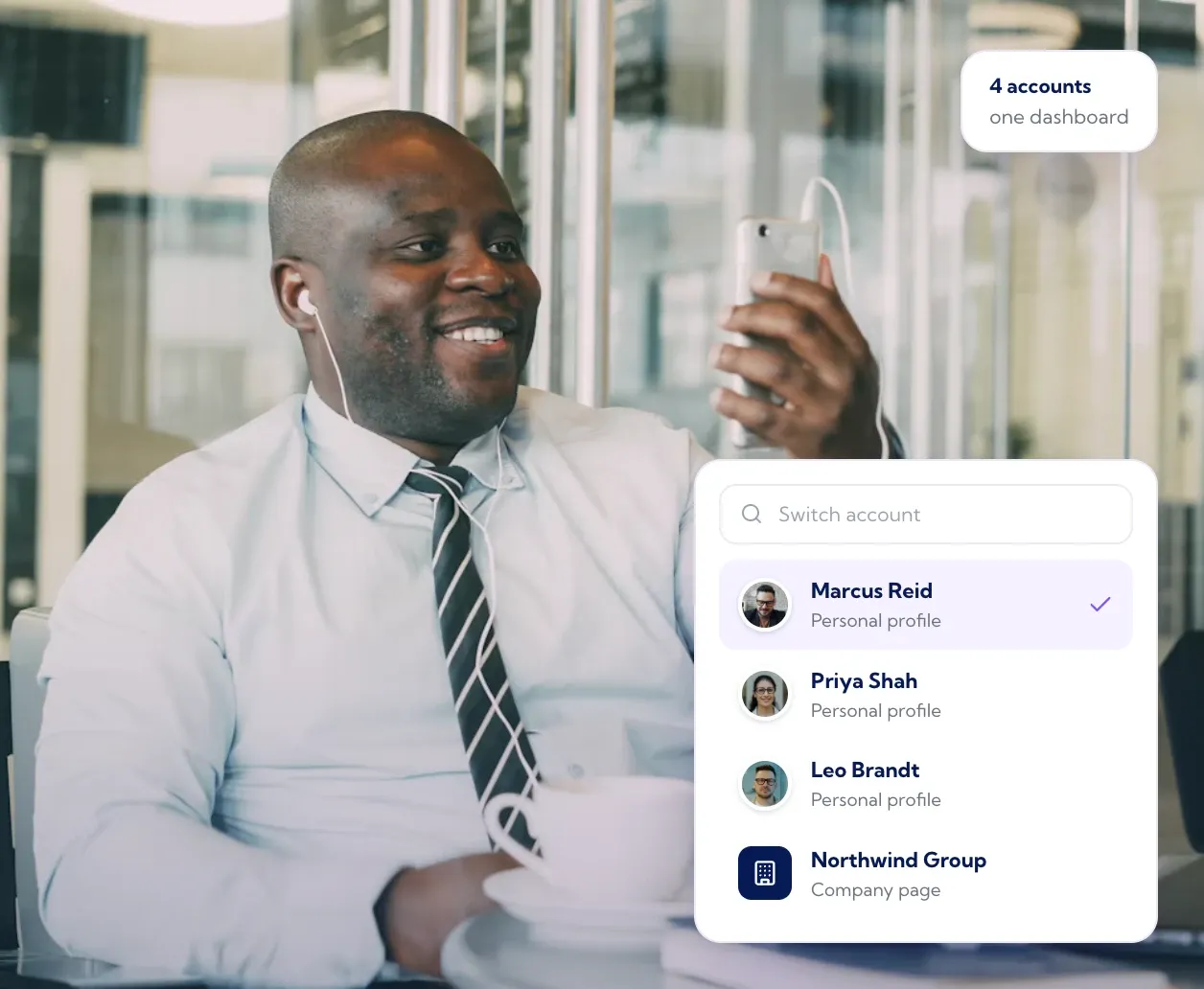
Every screen in Vulse has an account picker. On the dashboard it switches whose results you are looking at. In the composer, "Change" switches who the post is from. In Mentions, "Acting as" switches which profile replies. One sign-in covers every connected account, so an agency account manager moves from a client's company page to that client's founder to their own profile in a few seconds, with no logging out and back in. Drafts stay with the account they were written for, and the live preview always shows the name of the account that will publish, so nothing goes out from the wrong profile. For teams running several brands, it removes the single most common mistake in multi-account LinkedIn management.

Every profile
Connect each person once through LinkedIn's own sign-in

Company pages too
Pages and profiles on one calendar and one dashboard

Executive support
Draft in a leader's voice, publish with their approval

Instant switching
One sign-in, one click between accounts

It's simple to use but powerful in its results. This is the first tone-matched tech I've used that doesn't read like a robot wrote it. Consistency is key to growing social media platforms and Vulse has given me no excuse with its scheduling tool and speedy post generation.
Carla Speight, Founder, PR
Frequently asked questions
Yes. Vulse connects any number of personal profiles and company pages to one workspace. You create, schedule, reply and report for all of them from one sign-in.
With Vulse, yes. Each person connects their own profile through LinkedIn's official API and can revoke access at any time. No passwords are shared and no browser extensions are used.
Yes. Draft in their voice, send it with Request approval, and the post is scheduled once they approve. Nothing publishes without their consent.
Yes. Company pages connect alongside personal profiles and share the same calendar, mentions feed, dashboard and team leaderboard at vulse.co/platform/linkedin-team-leaderboards.
Yes. Each client's profiles and pages sit in your workspace, you switch between them in one click, and each client's results are reported separately.
There is no fixed limit. Pricing is per seat, from $6 to $18 a seat per month on annual billing, with no minimum. See vulse.co/pricing.
Yes. Sales teams use it to keep every rep's profile posting consistently, with drafts in each person's own voice and results on one dashboard. Enterprise programmes run with hundreds of seats, volume pricing, governance controls and approvals, and a tailored proposal for specific procurement, security or rollout requirements.
Every post can route through an approval step before it goes live, and executives approve drafts written for them without opening the full app. Vulse is ISO 27001 certified and GDPR compliant, hosts data in the EU by default with US hosting available, and each person connects through a LinkedIn token they can revoke at any time.