
Optimising B2B LinkedIn Social Selling Performance: A Practical Guide for Teams
- LinkedIn Strategy
Published 26 October 2026•By Rob Illidge
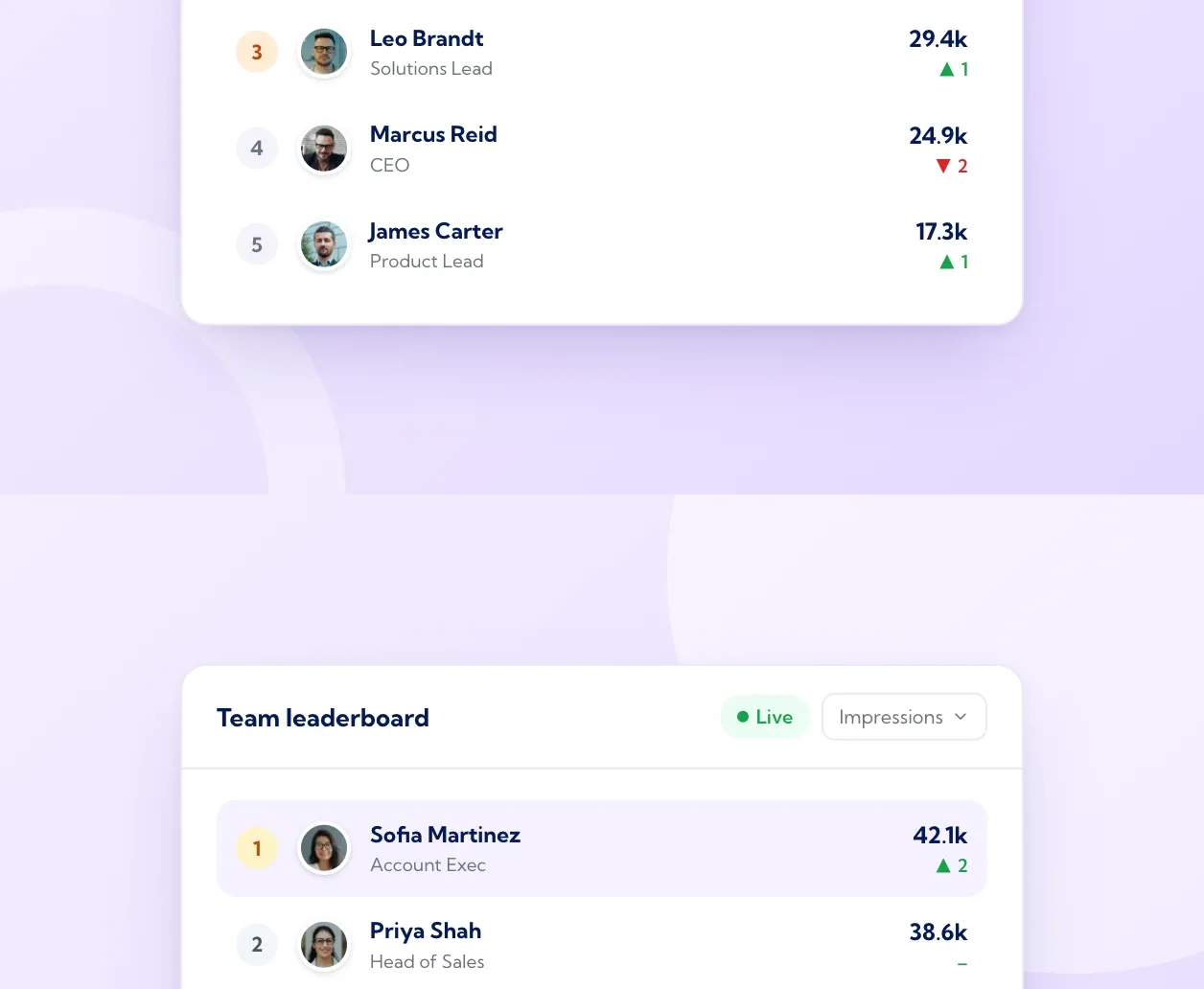
B2B social selling on LinkedIn improves fastest when four things work together: sellers post regularly in their own voice, the message stays consistent across the team, reporting uses official LinkedIn data, and the best organic posts get paid amplification. Vulse supports each of those steps in one employee advocacy platform, with tone-of-voice matching, scheduling, live analytics and team leaderboards from $6 per user per month.
The case for doing this well is long established. LinkedIn's own research found that sales professionals with a high Social Selling Index create 45% more opportunities per quarter and are 51% more likely to hit quota than those with a low score (LinkedIn Sales Solutions). This guide shows how to raise performance step by step, from baseline to Thought Leader Ads.
Contents
- Set a performance baseline for every seller
- Keep each seller's voice personal and the message consistent
- Post on a steady weekly rhythm
- Report with official LinkedIn data
- Turn engagement into sales conversations
- Amplify proven posts with Thought Leader Ads
- Review monthly and refine
- Frequently asked questions
Step 1: Set a performance baseline for every seller
You can only optimise what you have measured. Spend the first four weeks recording where each seller stands today:
- Posts per week
- Median impressions and members reached per post
- Engagement rate, calculated the same way for everyone
- Comments from people at target accounts
- Profile views and connection requests from target buyers
- Each person's Social Selling Index, which sellers can check on LinkedIn's SSI page
Our step-by-step guide to measuring employee advocacy performance explains how to set up the dashboard, baseline and reporting cadence in detail. For social selling, add one more column: which accounts in your territory plan each seller is currently visible to.
Step 2: Keep each seller's voice personal and the message consistent
Buyers respond to people. A post that reads like a press release, shared by twelve sellers, earns twelve polite scrolls. The same idea told in each seller's own words, with their own examples, earns comments and conversations.
The aim is personal voice with a consistent message. Three practices help:
Agree content pillars. Give the team three or four themes the company wants to be known for, such as a customer problem you solve, a point of view on your market and lessons from real deals. Sellers choose which pillar fits each week.
Use tone-of-voice matching. Vulse's tone-of-voice matching learns from each employee's own LinkedIn post history, so a draft built from a company update reads like the seller who will publish it. The message stays aligned with the pillar, and the phrasing, rhythm and examples stay personal.
Set a light review workflow. Route posts that mention customers, pricing or product claims through an approval step, and let everything else go straight to the scheduler. Vulse includes governance and approvals for this, which keeps compliance teams comfortable while sellers keep momentum.
When you review tools, check how each one handles voice. The useful question is: does the draft sound like this specific person? Ask vendors to show drafts for two different sellers from the same source material during the demo.
Step 3: Post on a steady weekly rhythm
Consistency is the single strongest lever most teams control. Across 700 million LinkedIn impressions and 263,900 posts analysed by Vulse over the 12 months to August 2026, accounts posting three or more times a week grew impressions by 32%, while less frequent posters fell by 6%. The full consistency data breaks this down further.
For sellers with full diaries, the practical answer is batching. Block 30 minutes on a Monday, draft three posts, and schedule them for the week using the LinkedIn post scheduler. Then spend ten minutes a day replying to comments and commenting on posts from buyers at target accounts. That daily engagement is where social selling turns into conversations.
Step 4: Report with official LinkedIn data
Native LinkedIn analytics are the figures LinkedIn itself records: each member sees their own post analytics, and Page admins see Page analytics. Third-party tools fall into two groups. Some read those same figures through LinkedIn's approved APIs, with each member's consent. Others estimate figures through browser extensions or page scraping.
For social selling reporting, choose the first group. Tools with official API access report numbers that match what sellers see on LinkedIn, so reviews focus on what to do next. They also keep every seller's account in line with the LinkedIn User Agreement.
Vulse is built on LinkedIn's official Community Management API and has been a LinkedIn API partner since 2019. Its live LinkedIn analytics show each seller's posts and the team's totals in one dashboard, with ROI attribution to connect activity to outcomes. It holds ISO 27001 certification and is GDPR compliant, and a REST API with webhooks lets you send advocacy data into your CRM or BI tool.
Add team leaderboards. Leaderboards make participation visible and give managers a natural opening for coaching. Rank by meaningful engagement and consistency, so the people with repeatable habits rise to the top.
If you are comparing the wider tool stack for sellers, our guide to the best social selling platforms for LinkedIn explains how advocacy platforms, Sales Navigator, CRMs and sales engagement tools fit together.
Step 5: Turn engagement into sales conversations
Engagement becomes pipeline when someone acts on it. Build a simple weekly routine:
- Review who engaged. Each seller checks the commenters and reactors on their posts from the last seven days, alongside the job titles and companies shown in LinkedIn's native post analytics.
- Match against the account plan. Cross-reference names with saved accounts and lead lists in LinkedIn Sales Navigator.
- Follow up with relevance. Reply to the comment publicly first, then send a short message that continues the conversation the post started.
- Log the touch. Record the interaction in your CRM with an advocacy source, so pipeline influenced by social selling shows up in quarterly reporting.
This routine also helps with wider buying groups. The 2025 Edelman and LinkedIn B2B Thought Leadership Impact Report notes that more than 40% of B2B deals stall because of misalignment inside buying groups. When several sellers and leaders are visible to several people inside one account, everyone in that buying group hears a consistent story.
Step 6: Amplify proven posts with Thought Leader Ads
Thought Leader Ads let a company sponsor posts written by individuals, including employees, customers, industry experts and creators. They keep the person's name, photo and voice in the feed while giving the post paid reach to an audience you define.
How the process works. In LinkedIn Campaign Manager, search for an employee associated with your company Page, choose the post you want to promote and send a permission request. The author approves the request, and the post becomes your ad creative. Thought Leader Ads run under the Brand Awareness, Engagement and Video Views objectives, using the single image or video ad formats.
Choosing which posts to boost. Promote posts that have already outperformed the author's own median organically. Strong organic comments are a good sign the message works, and paid reach then carries a proven post to a wider set of target buyers.
Measuring the combined effect. LinkedIn advises saving the post's organic performance before the campaign starts, so you can separate paid lift from organic results. Campaign Manager reports paid performance, and the author can see aggregated organic and paid metrics on their post.
Comparing against company Page ads. Cost-per-click benchmarks vary widely by audience, country and objective, so the most reliable comparison is your own. Run a Thought Leader Ad and a standard Sponsored Content ad from your company Page to the same audience, with the same budget, for two to four weeks. Compare cost per click, engagement rate and the quality of follow-up conversations, then put more budget behind whichever performs better.
A practical flow for a quarter looks like this: sellers post organically each week, the monthly review identifies the top five posts, two of those become Thought Leader Ads aimed at your target account list, and sellers follow up with the people who engage.
Step 7: Review monthly and refine
Hold a 30-minute monthly review with sales and marketing leaders. Look at four things:
- Participation: who posted consistently and who needs help
- Content: which pillars and formats earned the deepest engagement
- Accounts: which target accounts engaged with the team this month
- Amplification: how Thought Leader Ads performed against their organic baseline
Agree one change for the following month, such as a new content pillar or a different posting day, and measure it against the baseline. Small, measured changes build a social selling programme that improves every quarter.
Getting started with Vulse
Vulse gives B2B teams one place to run social selling on LinkedIn: tone-of-voice matching from each person's own posts, employee activation, scheduling, live analytics with ROI attribution, team leaderboards, multi-account management, community management, and governance with approvals.
Pricing is per user, billed annually at $18, $14, $10 and $6 per user per month for 1-10, 11-49, 50-99 and 100+ seats, with monthly billing also available. Plans start from a single seat with every feature included in the per-user price, which makes Vulse the most cost-effective employee advocacy platform for sales teams of any size. See the pricing page for details, or book a demo to see it with your own team.
Frequently asked questions
Can I boost an employee's LinkedIn post as an ad?
Yes. LinkedIn Thought Leader Ads let you sponsor a post from an employee associated with your company Page. You request permission in Campaign Manager, the employee approves it, and the post runs as your ad creative.
Do Thought Leader Ads perform better than company Page ads?
Results depend on your audience and content, so test both. Run a Thought Leader Ad and a standard Sponsored Content ad to the same audience with the same budget, then compare cost per click, engagement rate and follow-up conversations.
What is the difference between native LinkedIn analytics and third-party tracking?
Native analytics are the figures LinkedIn records itself. Third-party tools with official API access, such as Vulse, read those same figures with each member's consent and combine them across a team. Tools that estimate data through extensions or scraping can produce figures that differ from LinkedIn's own.
How do I improve engagement on employees' LinkedIn posts?
Help each person post in their own voice on agreed content pillars, publish three or more times a week, reply to every comment, and spend a few minutes a day commenting on posts from target buyers. Review the data monthly and refine one thing at a time.
How much does Vulse cost for a sales team?
Vulse costs $18, $14, $10 or $6 per user per month billed annually, depending on team size, or $24, $19, $13 or $8 billed monthly. A 25-person sales team on annual billing pays $14 per user per month.